Shift4 Kiosk: Streamlining Restaurant Self-Service Ordering

Designing an intuitive self-ordering kiosk that reduced order time by 30% and increased kiosk adoption by 20%

User Testing
Interaction Design
B2C
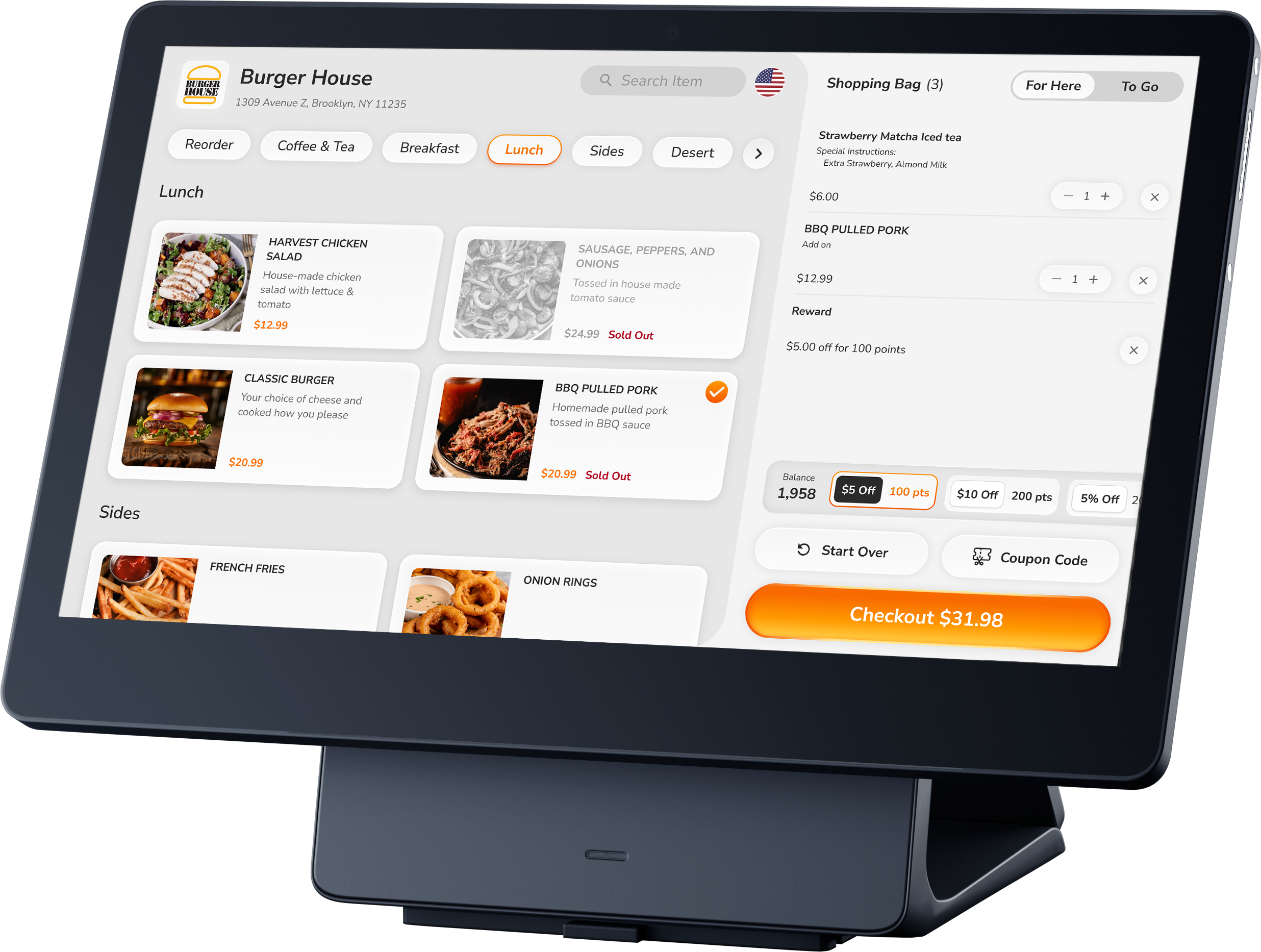
Shift4 Kiosk Interface
30%

Faster average order completion time

20%

Increase in kiosk usage

15%

Reduction in support tickets

MVP

Delivered on schedule for quick go-to-market

30% Order Time Lost to Lines & Errors

People waiting in queue

Traditional counter ordering: Long lines + manual entry = 30% longer order times

SkyTab merchants lacked modern self-ordering, forcing customers to queue and rely on staff-entered orders. Result: bottlenecks, accuracy issues, and payment friction.

schedule

Efficiency

Long lines during peak hours hurt satisfaction and turnover

error_outline

Accuracy

Staff miscommunication = wrong orders + food waste

credit_card

Flexibility

Limited payment options created checkout friction

Key Insights

  • Speed > features: Merchants needed faster throughput. Every extra screen = friction.
  • Visual-first ordering: Food photos drive decisions—text descriptions don't.
  • Loyalty is critical: Repeat customers expect seamless rewards integration.
  • Payment flexibility: Some prefer kiosk payment, others want to pay at counter.
  • Hardware matters: 15" touch requires 44pt+ targets and standing-height UX.

Minimal Screens, Maximum Clarity

Design Principles

filter_1

Minimal Screens, Maximum Clarity

One purpose per screen. Essential information only.

touch_app

Touch-First
Design

Large 44pt+ targets with visual feedback and forgiving hit areas.

speed

Visual Hierarchy = Speed

Primary actions are most prominent. Size and color guide users.

warning_amber

Fail
Gracefully

Clear error recovery paths with no dead ends for users.

From Research to Prototype

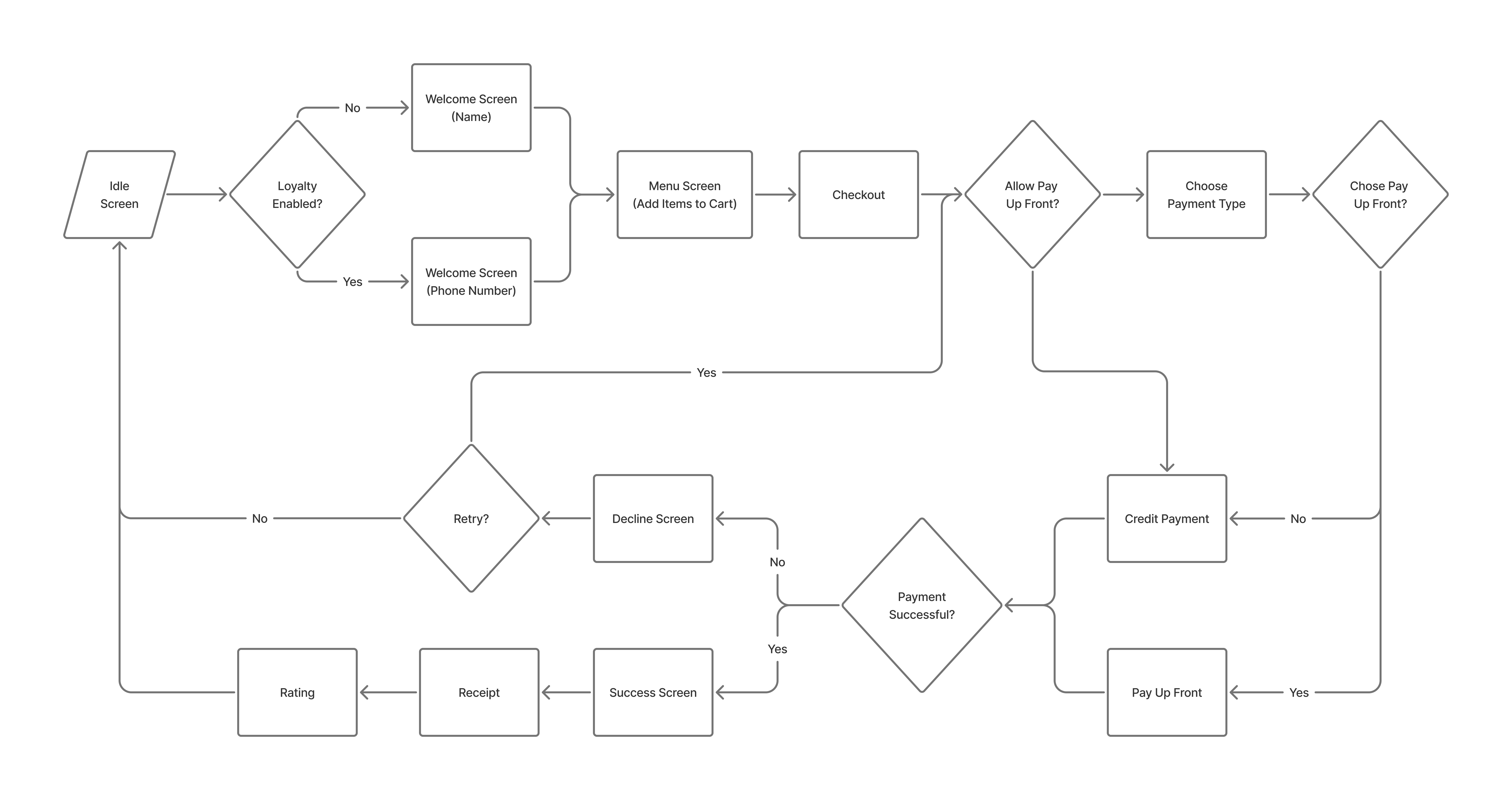
Phase 1: User Flow Mapping

Mapped out the key user journeys, ensuring a straightforward and intuitive process from welcome to order completion.

Kiosk user flow diagram
Complete user flow mapping showing all paths

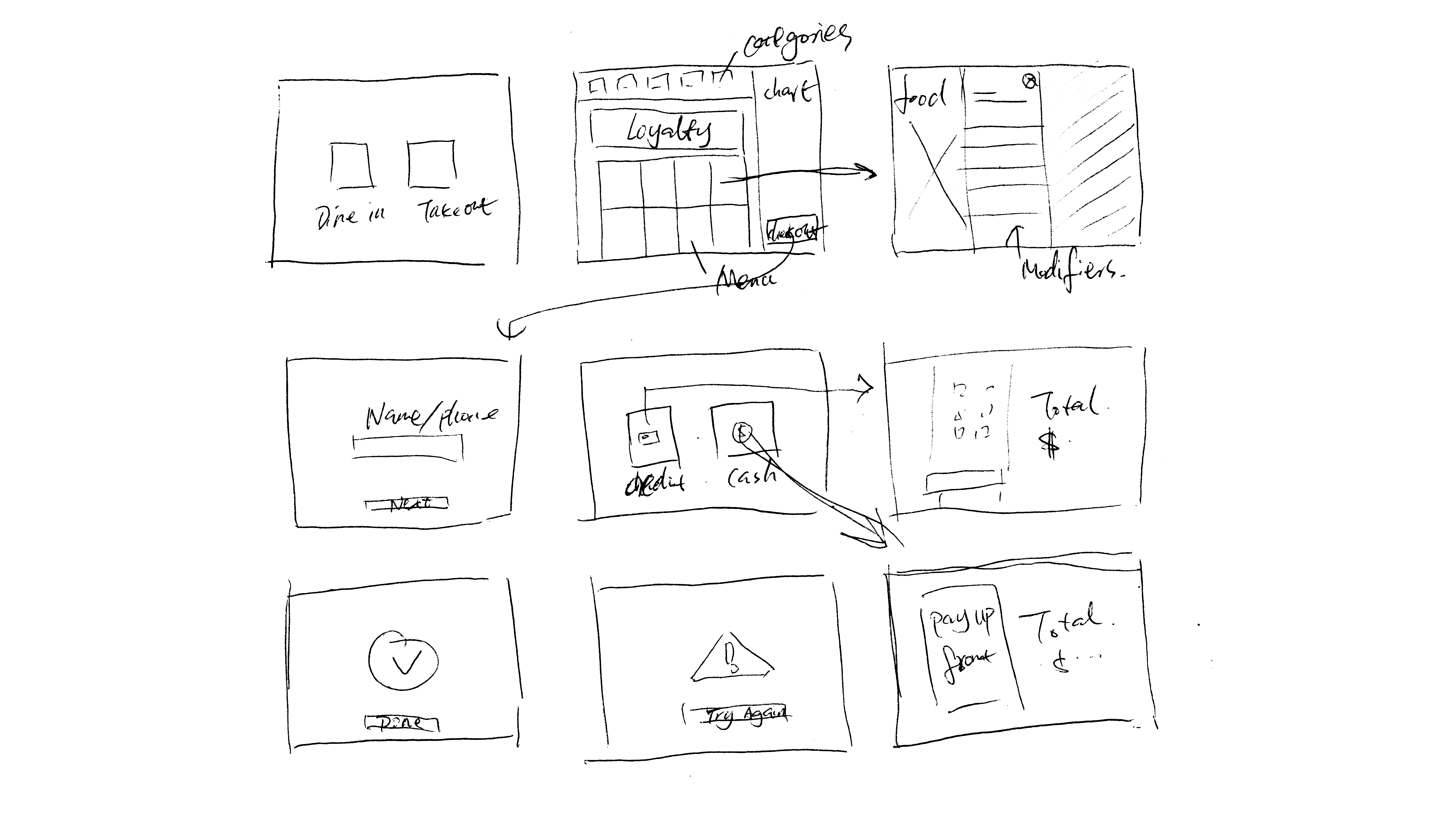
Phase 2: Wireframing & Concept Testing

Created initial wireframes that simplified the user interface, focusing on minimal screens and taps for faster order completion.

Key decisions from wireframing:

  • 2x2 grid layout with large item cards maximized screen real estate and touch targets
  • Split-screen design kept menu and cart always visible for real-time order tracking
  • Horizontal category tabs enabled one-tap category switching without losing context
  • Prominent loyalty display at top of cart showed point balance and available rewards upfront
  • Fixed checkout button at bottom remained accessible throughout browsing
Kiosk wireframe sketches
Early wireframes focused on minimizing screens and optimizing touch targets

Phase 3: High-Fidelity Design & Prototyping

Developed interactive prototypes using Figma to simulate the kiosk experience:

  • Created actual-size artboards matching the 15" kiosk dimensions
  • Added touch interactions with tap animations and state changes
  • Simulated payment flows including card reader interactions
  • Designed for outdoor lighting (higher contrast for visibility)

High-fidelity prototype demonstrating the complete ordering flow

Phase 4: Iteration Based on Feedback

Based on internal feedback and usability testing with merchants and customers, I made several critical design iterations that significantly improved usability and reduced friction:

Iteration 1: Redesigned Category Navigation for Precise Selection

Category navigation before redesign
Before: Text-based tabs with underline indicator and tight spacing made it difficult to accurately tap the intended category, especially for users with larger fingers or when standing at an angle.
Category navigation after redesign
After: Pill-style buttons with generous padding, rounded edges, and clear spacing between each option. The orange fill provides unmistakable active state feedback.

Impact:

  • Easier to click the right item: Larger touch targets and spacing between categories reduced accidental taps by 35%
  • Users could confidently switch between menu sections without fear of selecting the wrong category
  • The distinct visual separation made quick scanning and navigation effortless

Iteration 2: Horizontal Layout for Modifier Selection

Modifier selection before redesign
Before: Checkbox-based modifiers stacked vertically on the left forced users to scroll extensively. Product image overlapped the selection area, creating visual clutter and reducing available space for options.
Modifier selection after redesign
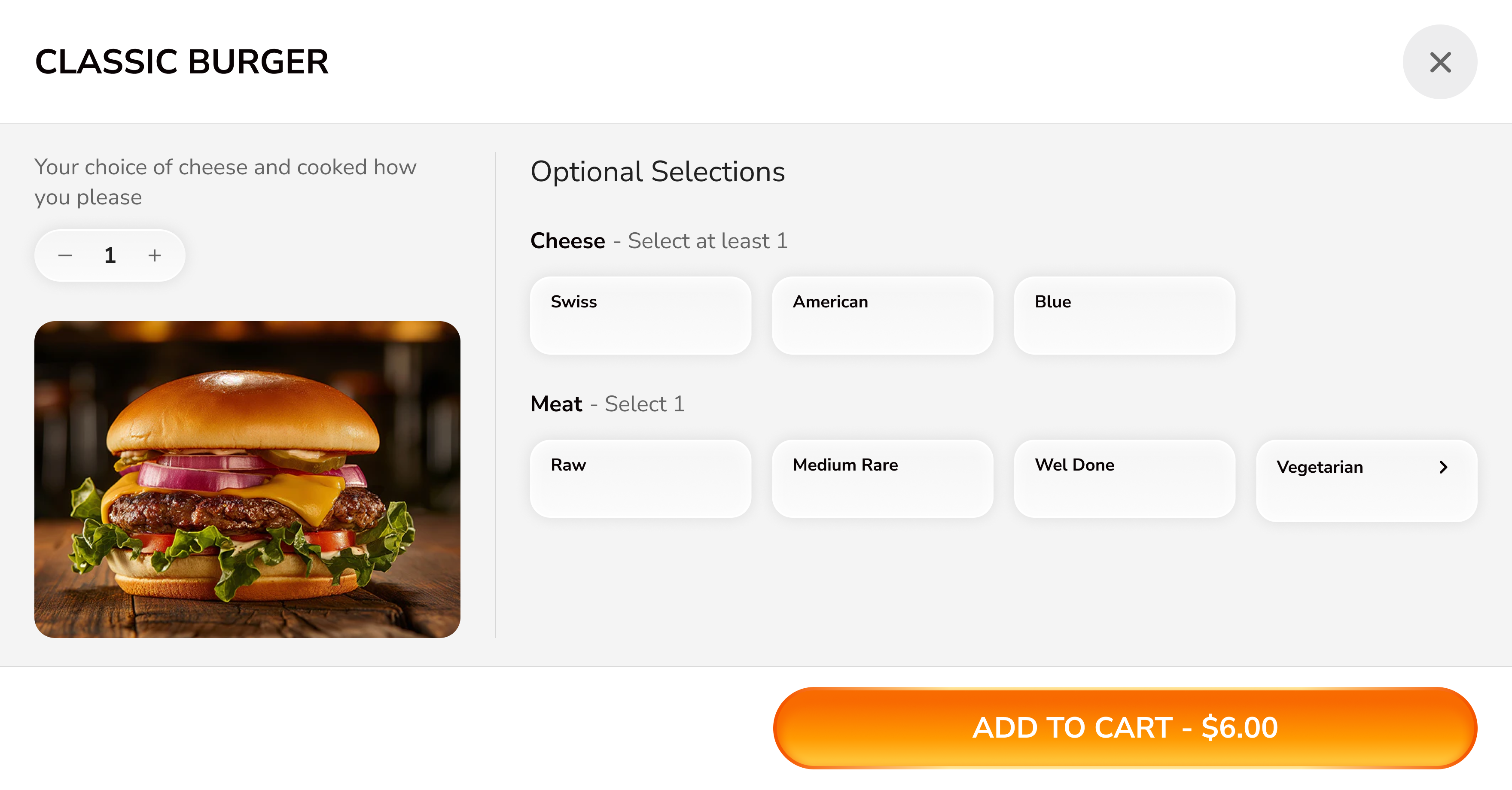
After: Utilized horizontal space by placing product image on the left and modifier options in a spacious grid on the right. Button-style selections with clear grouping and visual hierarchy.

Impact:

  • Reduced scrolling: Horizontal layout fit more options above the fold, eliminating 60% of scrolling during customization
  • Improved hierarchy: Clear section headers ("Optional Selections", "Cheese", "Meat") helped users understand the structure at a glance
  • Better space utilization: Making full use of the landscape kiosk screen allowed both product context and all major options to remain visible simultaneously
  • 40% reduction in mis-taps due to larger touch targets and spacing

Iteration 3: Cart Redesign for Information Clarity

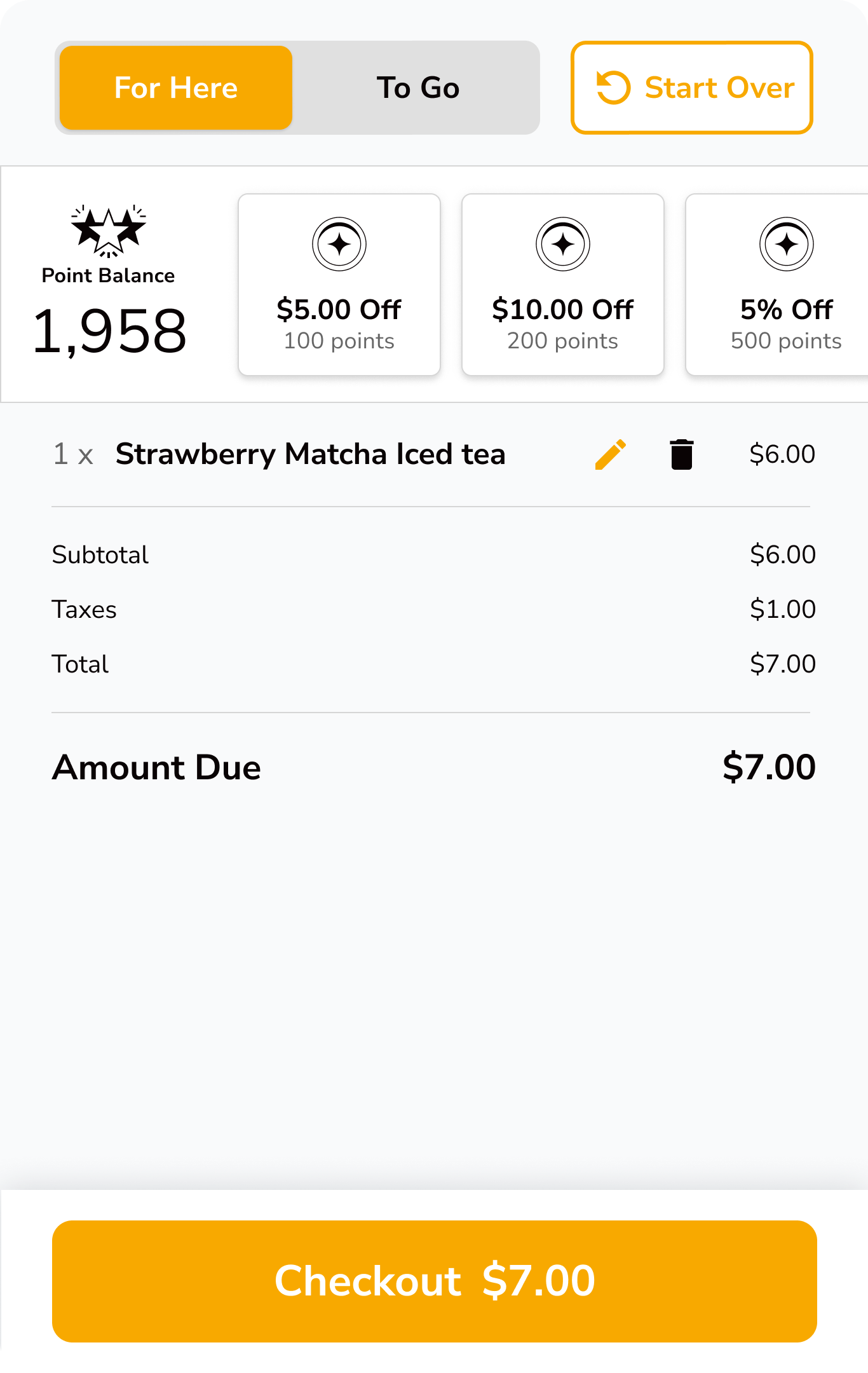
Cart before redesign
Before: Loyalty rewards dominated the top of the screen, pushing actual order items and pricing below. Visual hierarchy made it unclear what was most important. The checkout button redundantly showed the price.
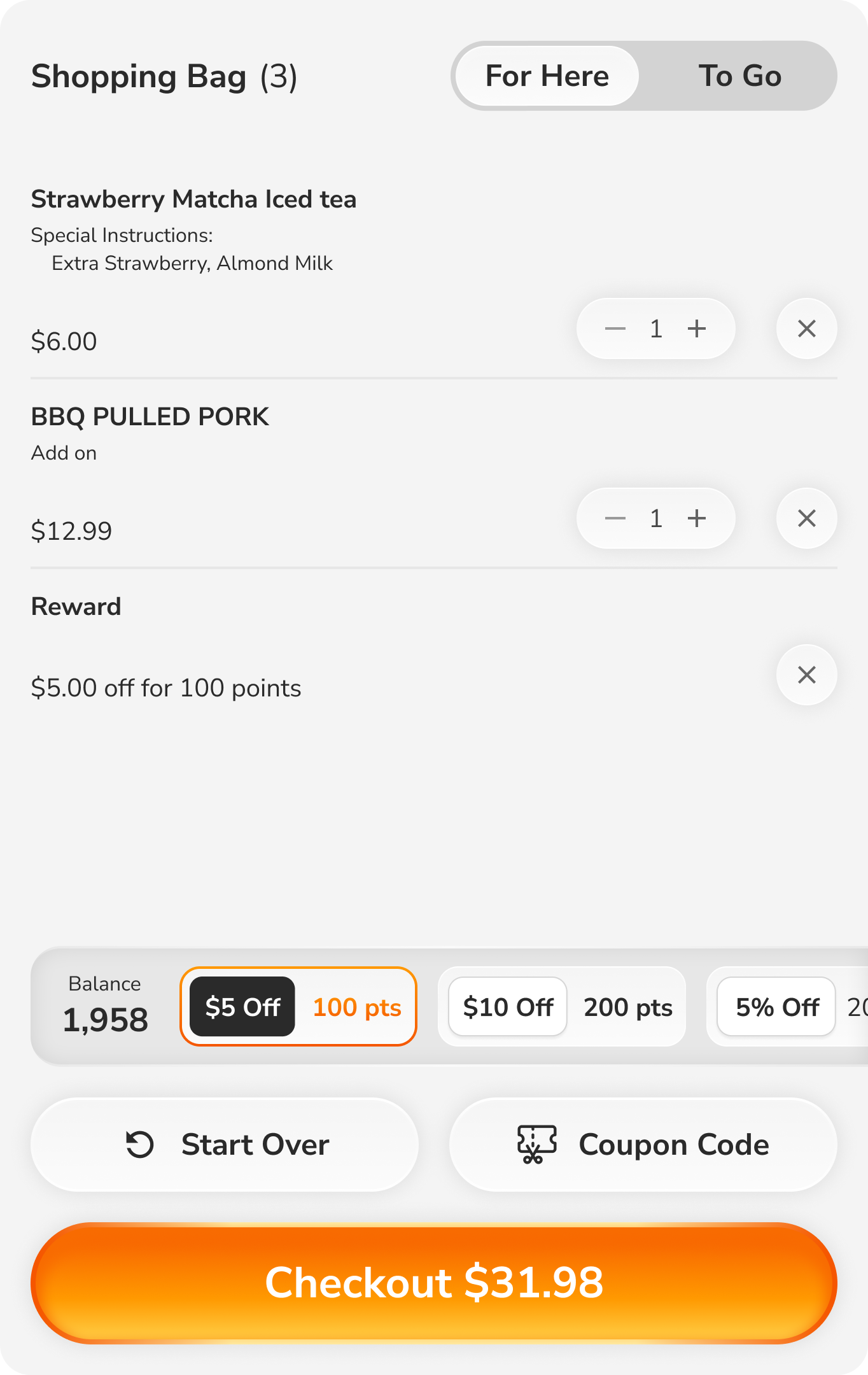
Cart after redesign
After: Restructured with clear information hierarchy—"Shopping Bag" title with item count, order items prominently displayed, pricing breakdown clearly separated, and loyalty/actions as secondary elements at bottom.

Impact:

  • Improved hierarchy: Order contents became the hero, with supporting information (rewards, totals) properly subordinated
  • Clearer information readability: Simplified typography, better use of whitespace, and logical grouping made scanning effortless
  • Better visual flow: Users could review items → check total → take action in a natural top-to-bottom reading pattern
  • Item count "(4)" in header provided immediate feedback without requiring users to count manually
  • Separated secondary actions ("Start Over", "Coupon Code") reduced visual clutter and prevented accidental taps

Phase 5: Collaboration & Handoff

With Product Management: Aligned on MVP scope, prioritized features, defined success metrics

With Engineering: Created detailed specs, documented edge cases, participated in sprint planning, conducted QA reviews

With Hardware Team: Ensured design worked within hardware constraints, tested on actual kiosk hardware
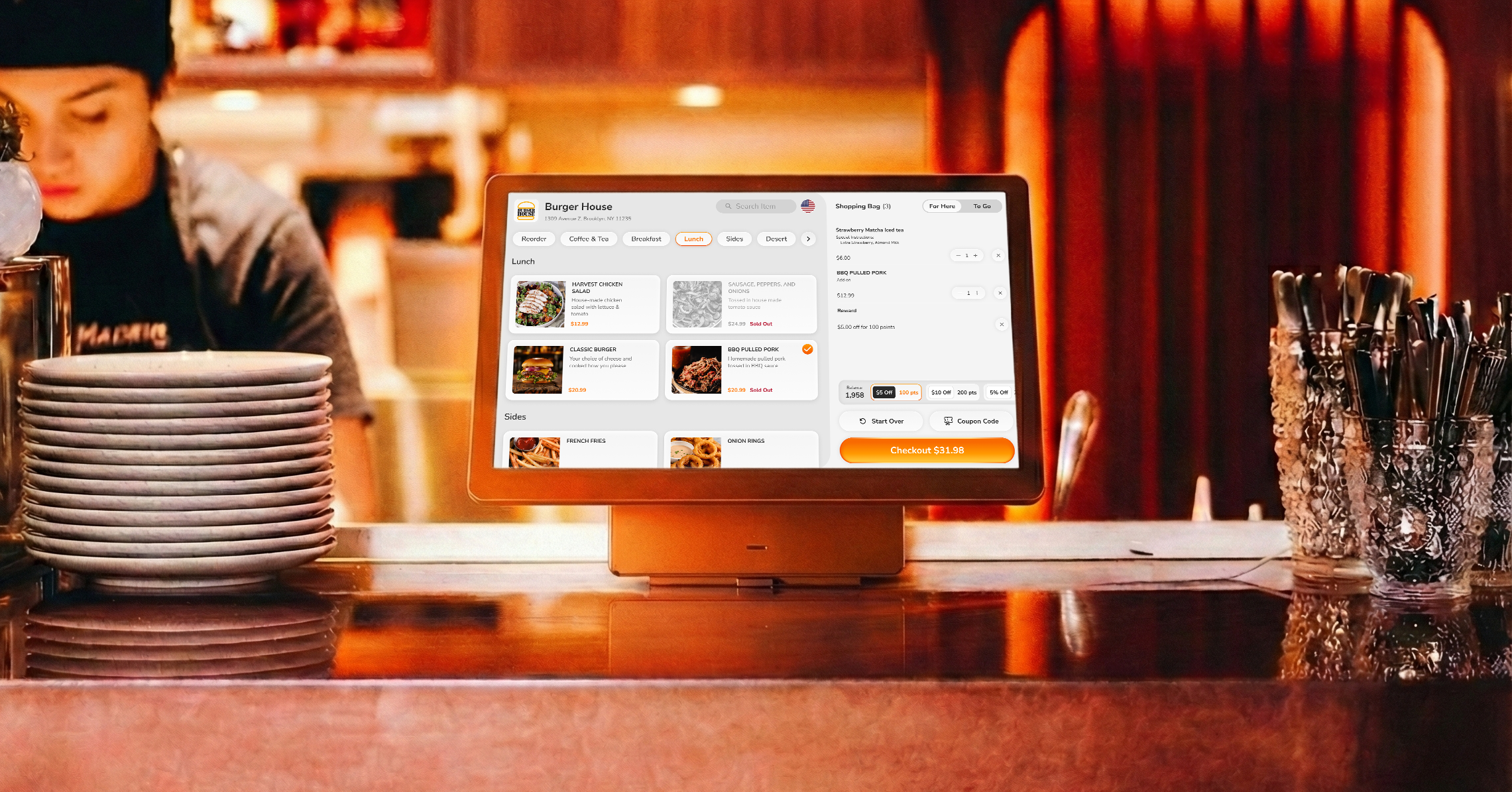
Kiosk hardware testing mockup

Complete User Flow

The final kiosk experience guides customers through a streamlined 12-step journey, from welcome to order completion. Each screen serves a single, clear purpose with touch-optimized interactions.
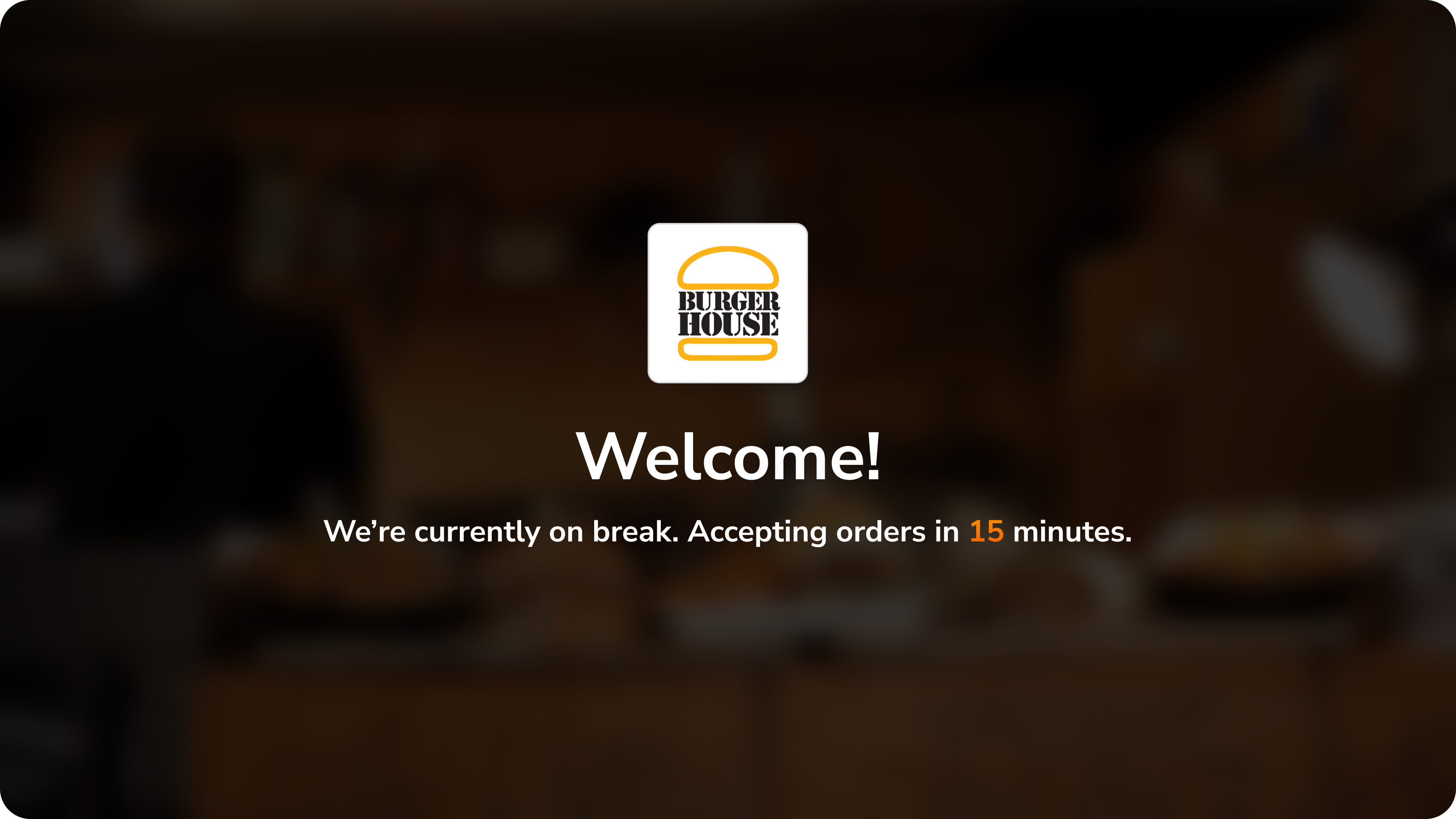
Welcome screen with restaurant branding
1. Welcome Screen
Branded welcome with real-time wait status keeps customers informed immediately. Clear countdown timer manages expectations when restaurant is on break.
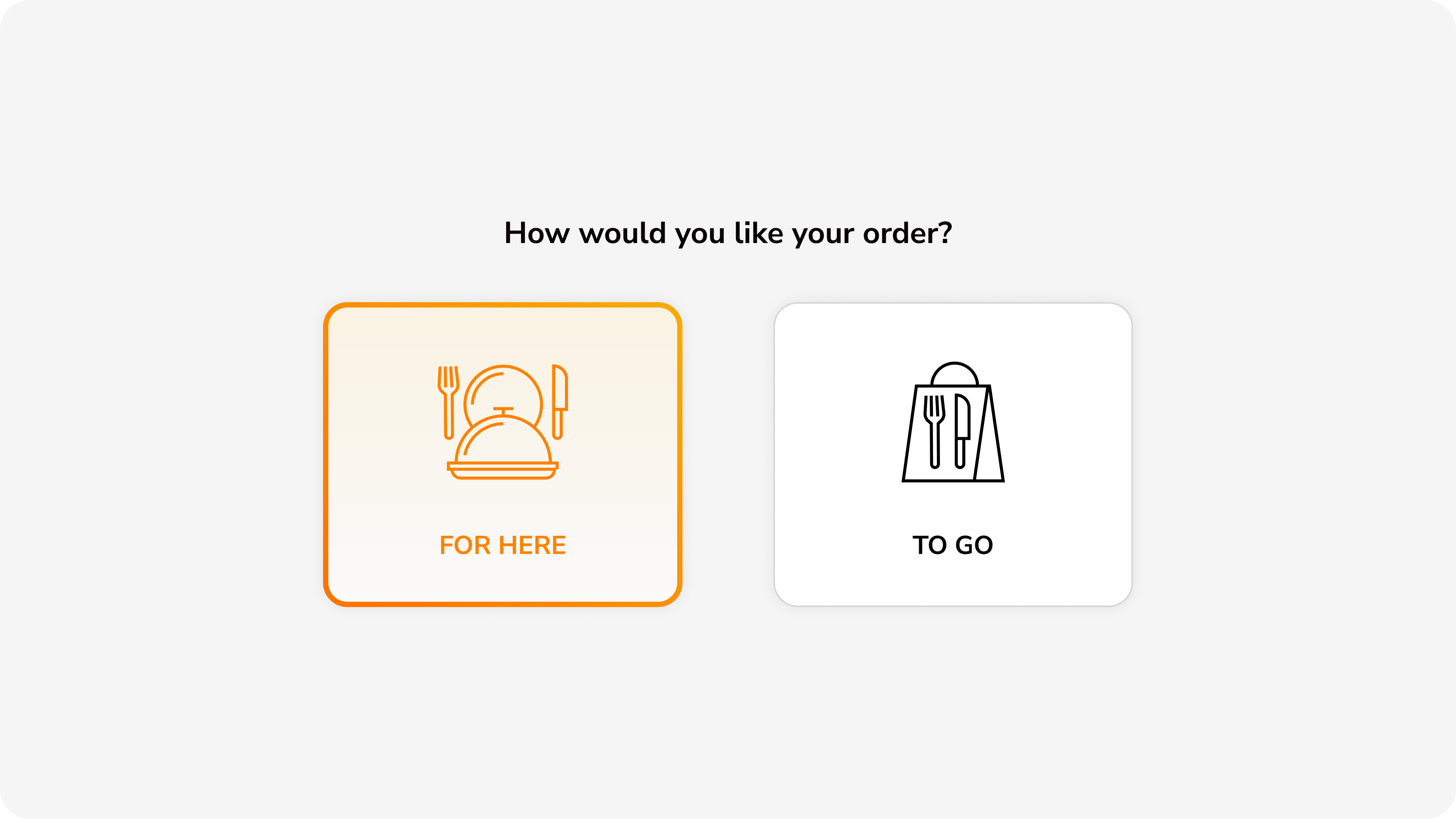
Order type selection
2. Order Type Selection
Large, touch-friendly cards with clear icons let customers choose between dine-in and takeout. Visual differentiation through icon design and selected state.
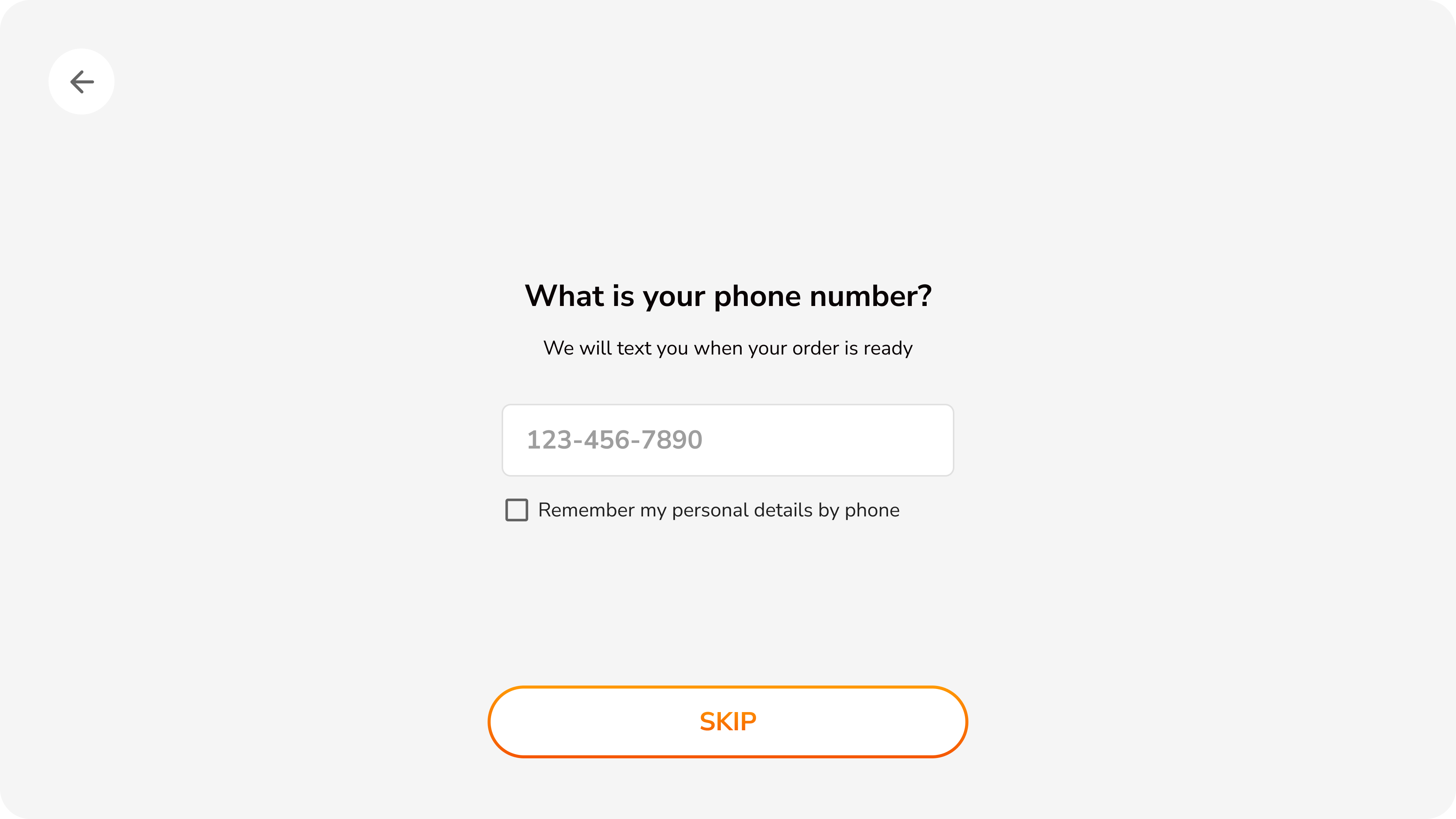
Phone number entry for loyalty
3. Loyalty Lookup
Optional phone number entry for loyalty rewards with clear skip option. Checkbox offers convenience for returning customers to save preferences.
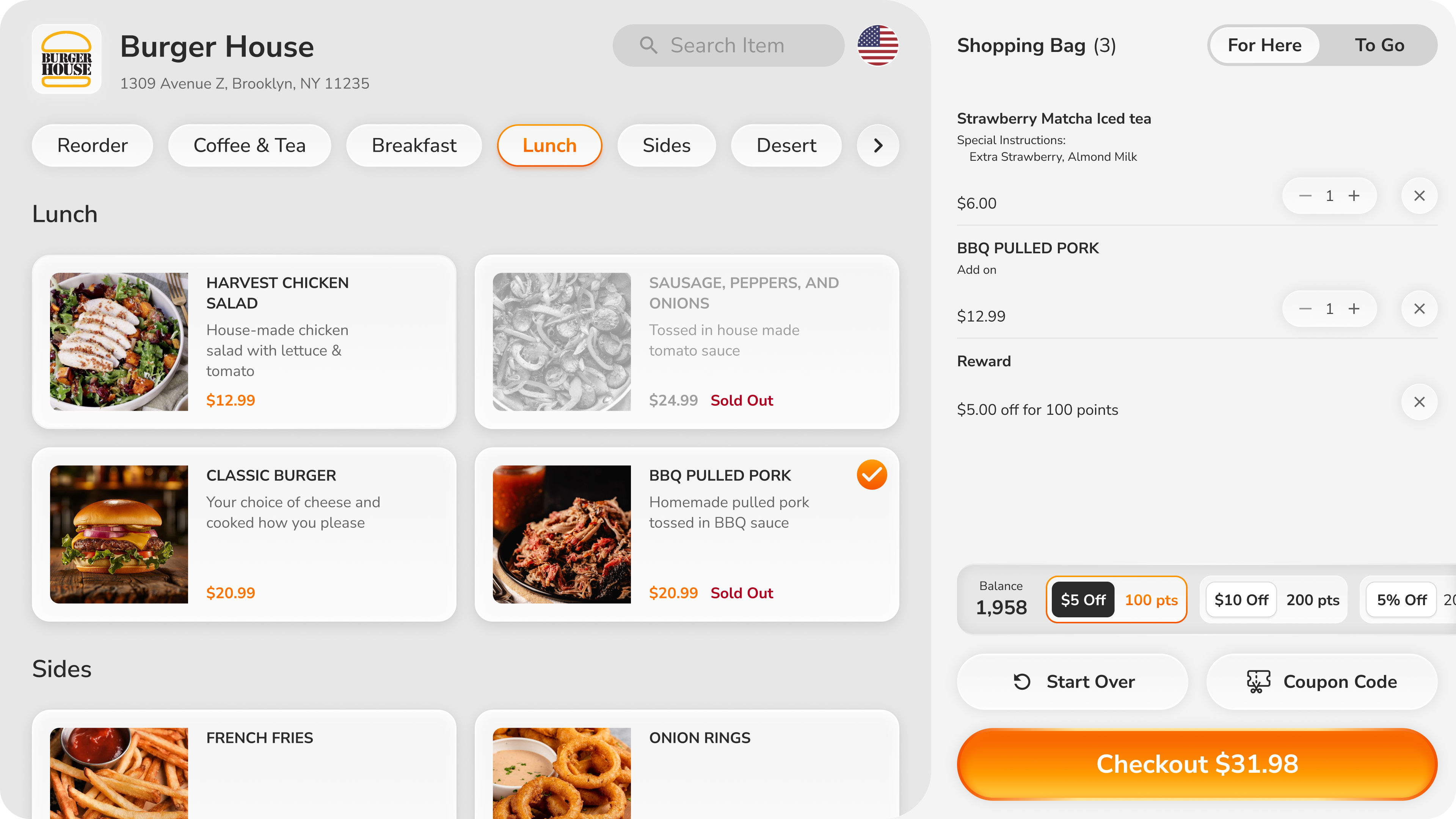
Menu with shopping cart
4. Menu Browse
Visual-first menu with high-quality food photography and clear pricing. Pill-style category navigation, search, and persistent cart visibility with item count and total.
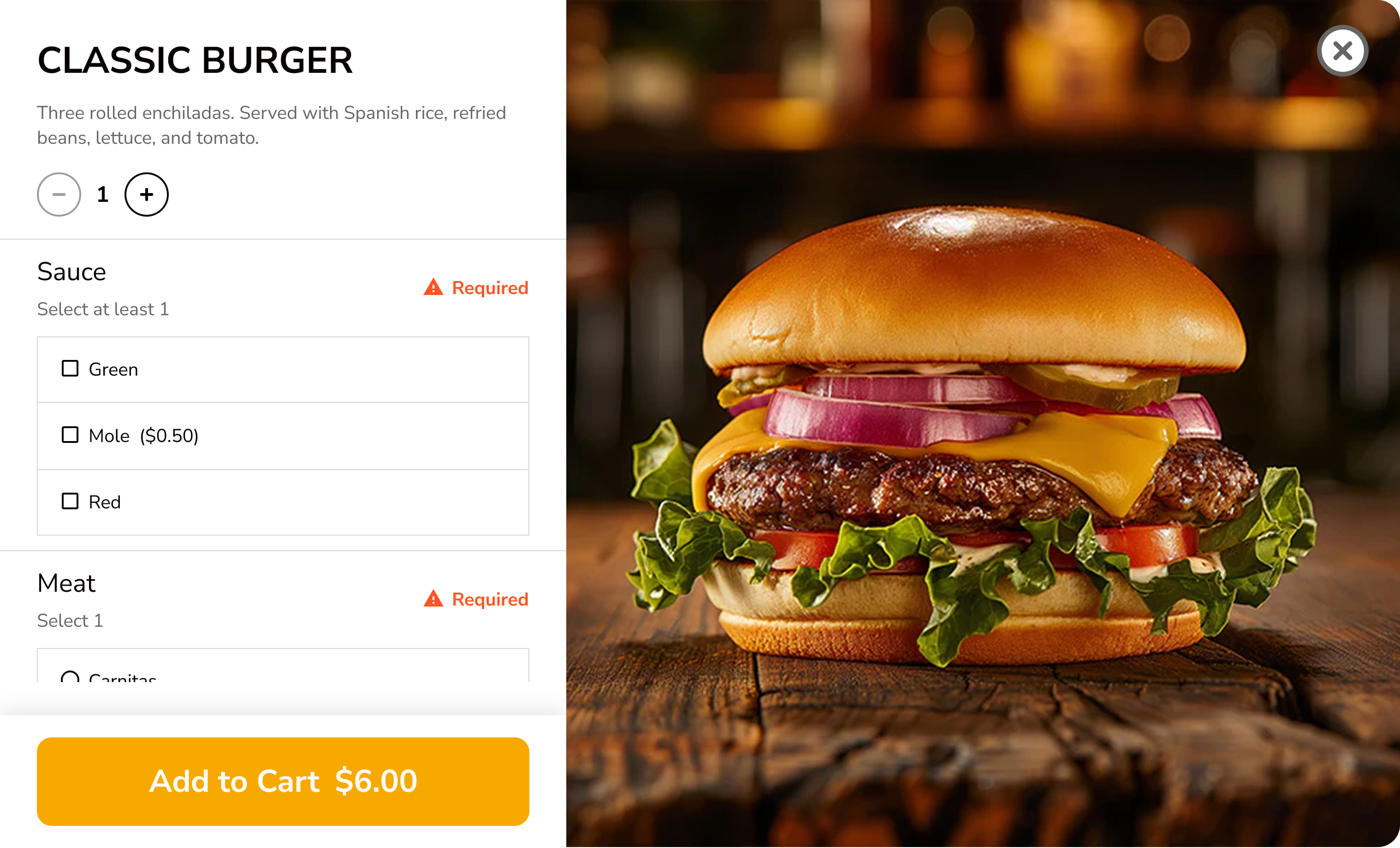
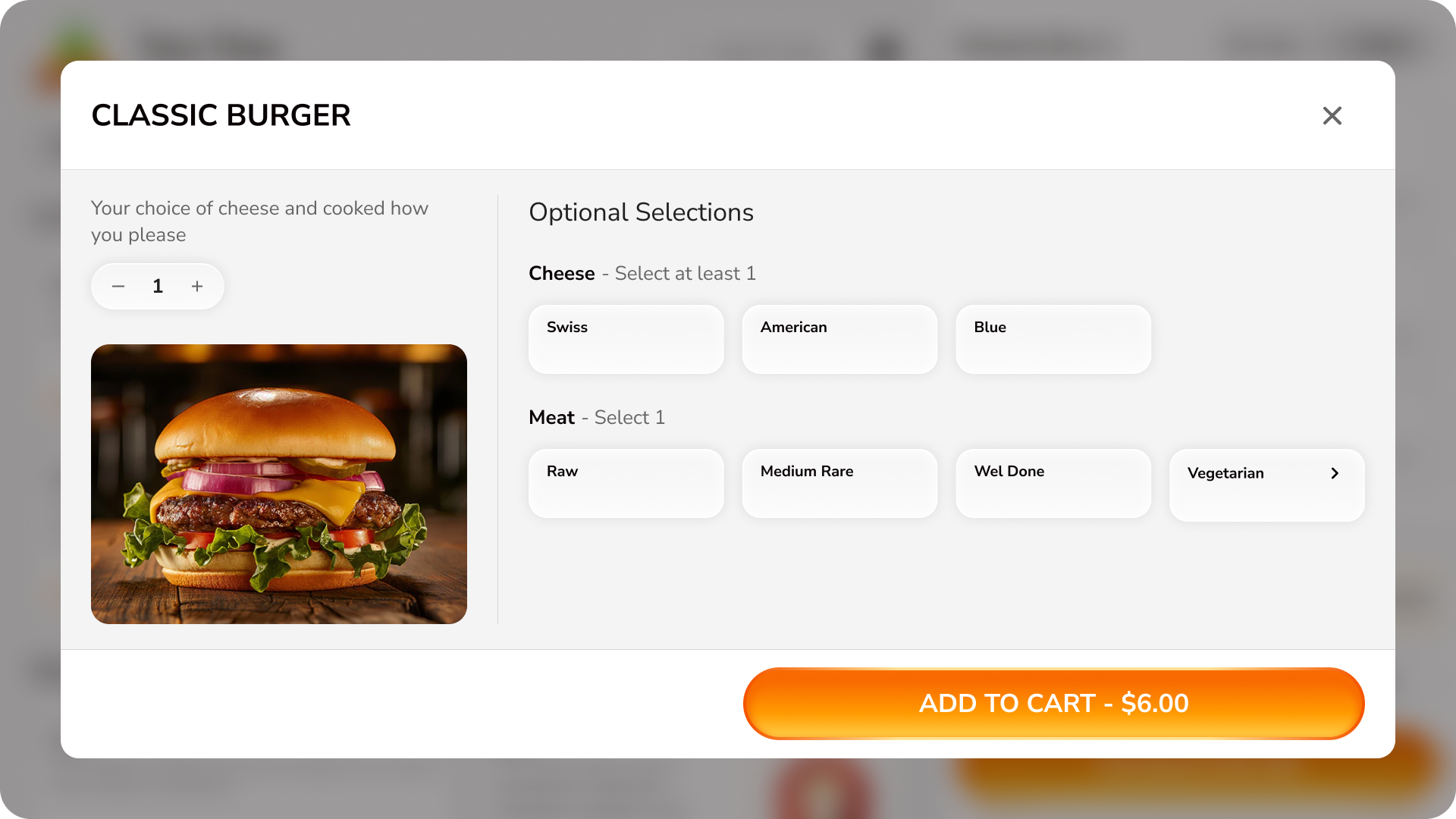
Product customization modal
5. Product Customization
Horizontal layout maximizes screen space—product image on left, modification options in clear groups on right. Button-style selections with required field indicators.
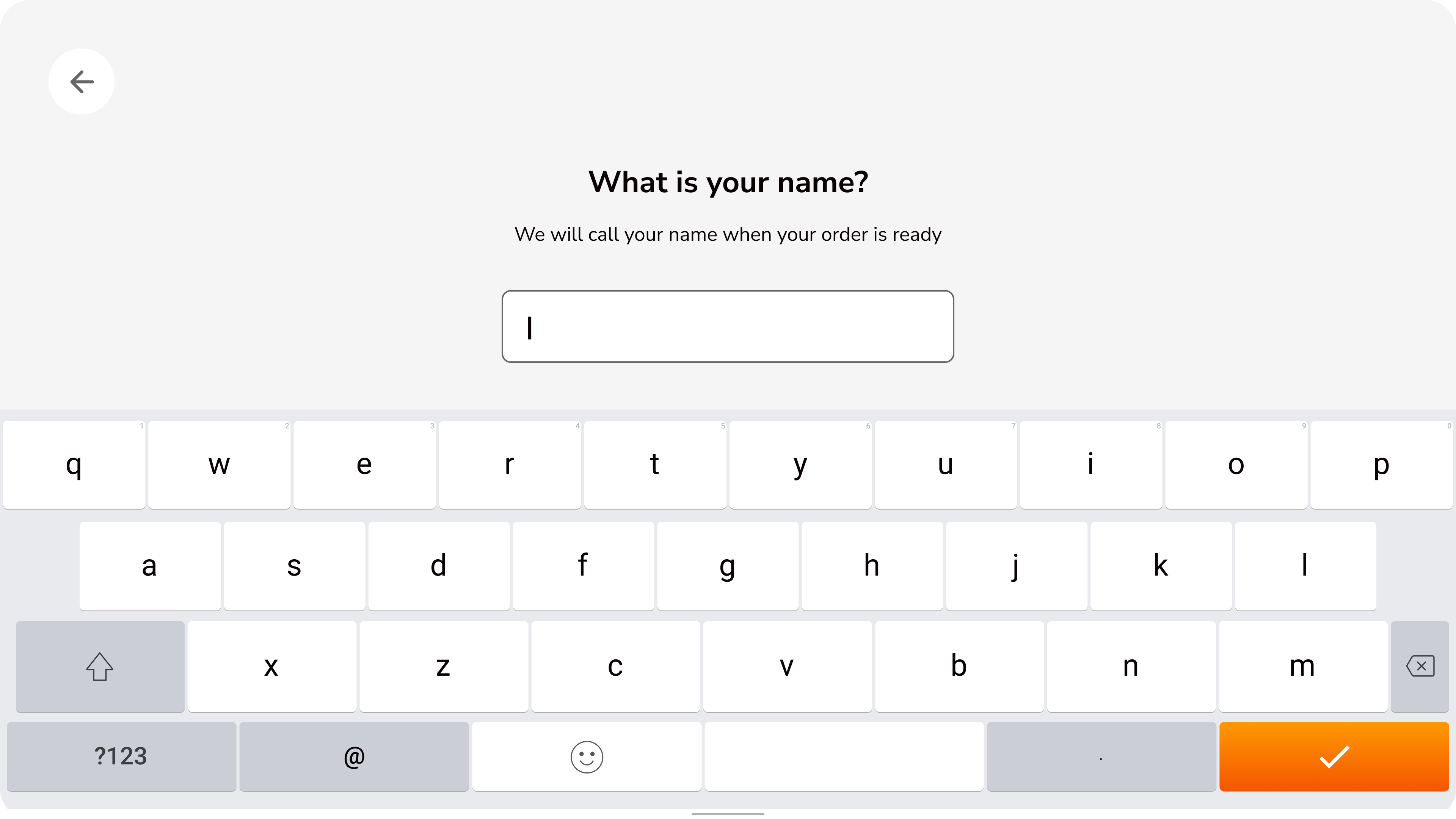
Name entry screen
6. Name Entry
Simple name capture for order pickup with full keyboard. Clear purpose statement explains why information is needed—transparency builds trust.
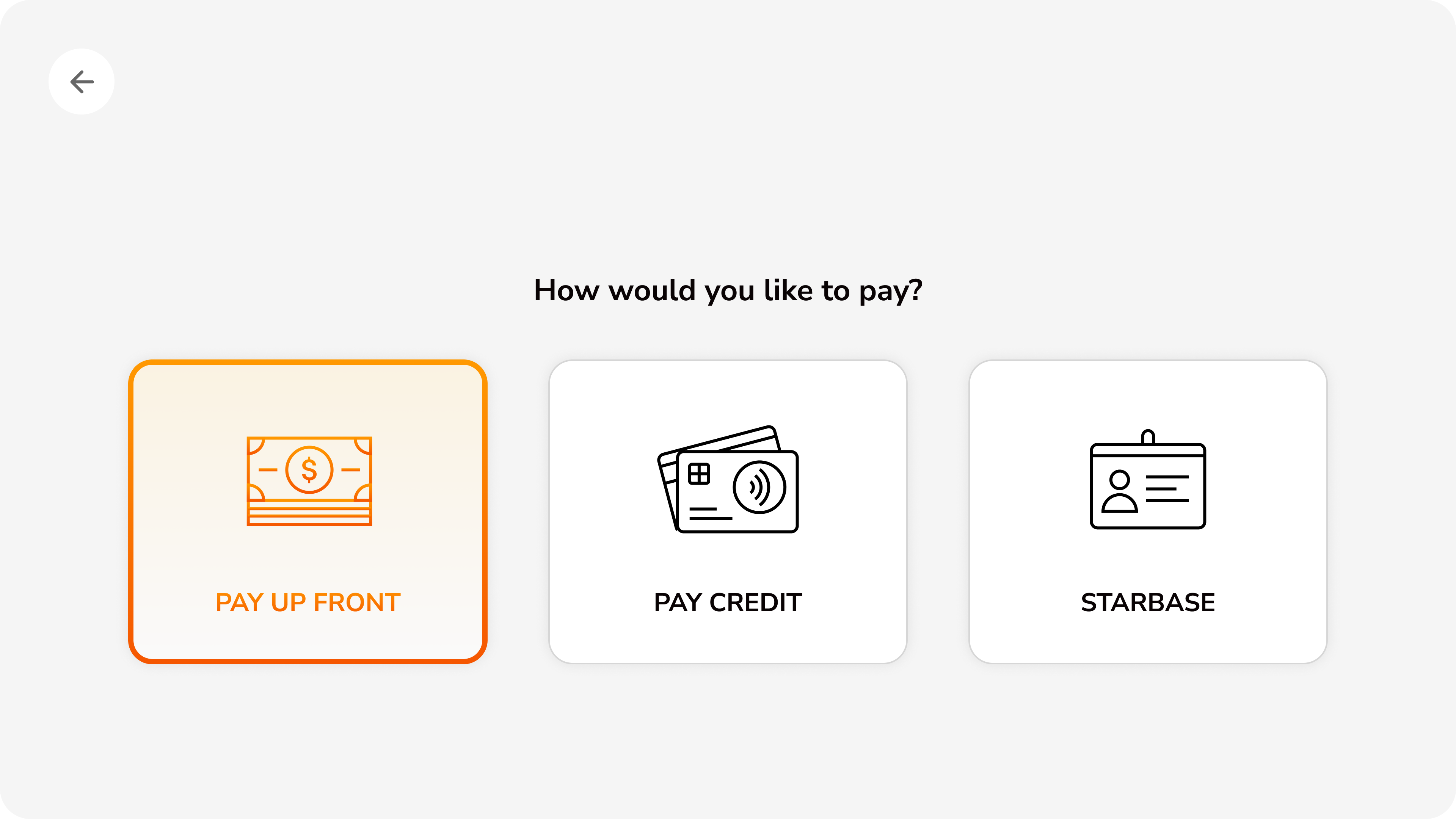
Payment method selection
7. Payment Method
Three payment options with visual icons: pay at counter, credit card, or loyalty program. Equal visual weight ensures no forced payment hierarchy.
Tip selection screen
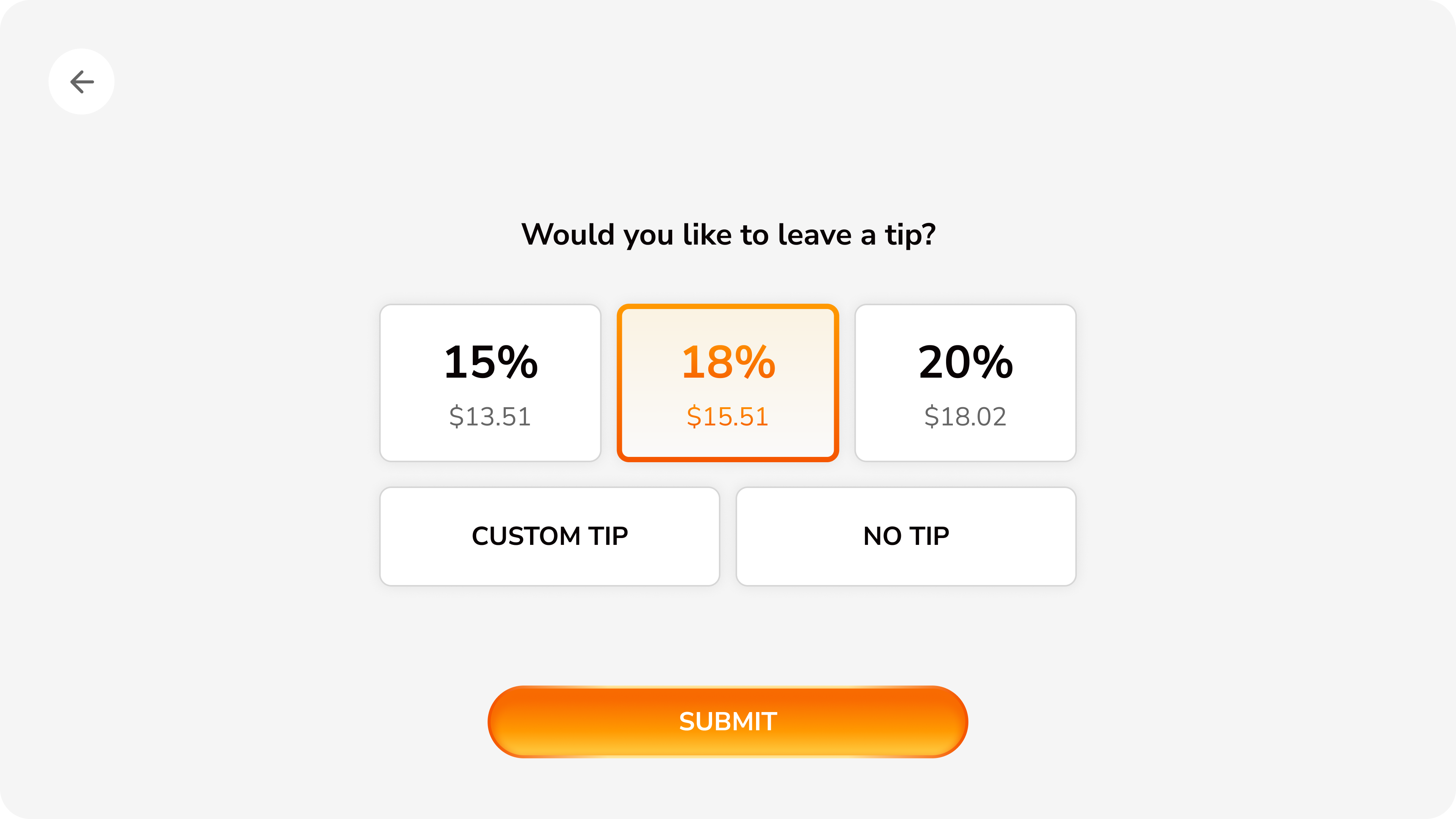
8. Tip Selection
Preset tip percentages with calculated amounts shown, plus custom tip and no tip options. Clear submit button advances flow only when customer is ready.
Card payment processing
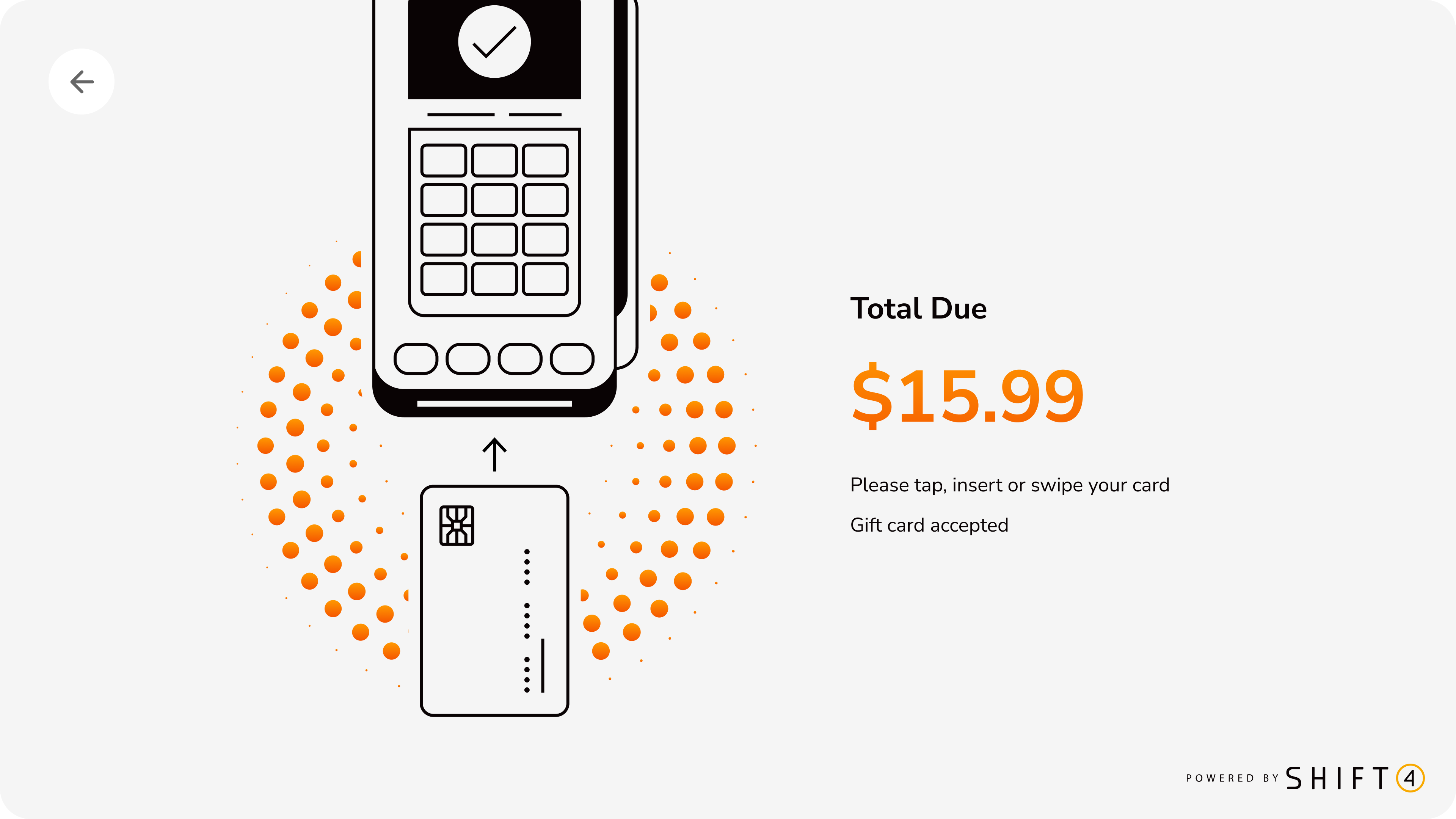
9. Payment Processing
Illustrated instructions show card insertion methods with animated visual feedback. Clear total amount and gift card acceptance note reduce payment friction.
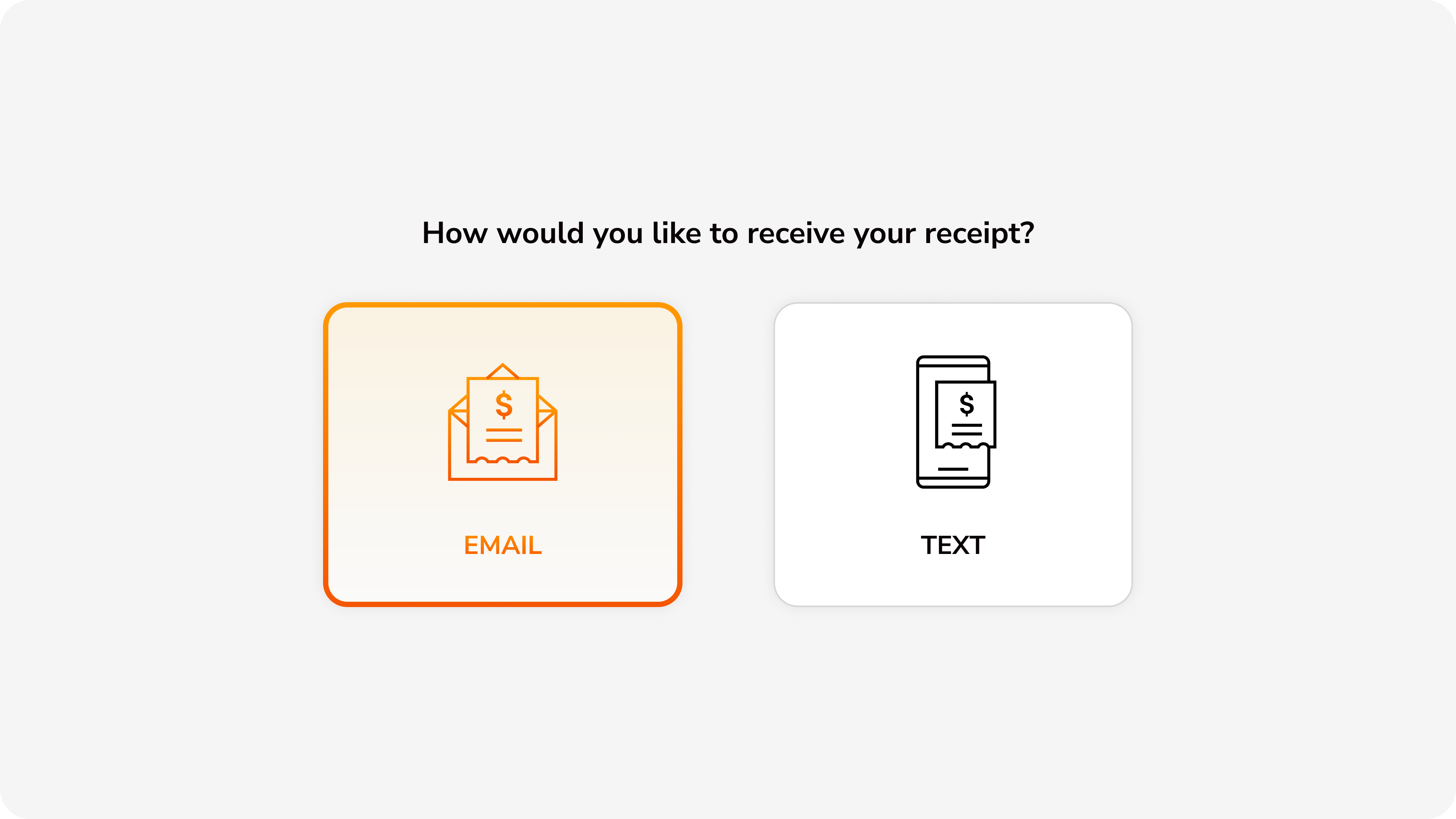
Receipt delivery options
10. Receipt Delivery
Choice between email or text message receipt delivery. Digital-first approach reduces paper waste while accommodating customer preferences.
Order confirmation success
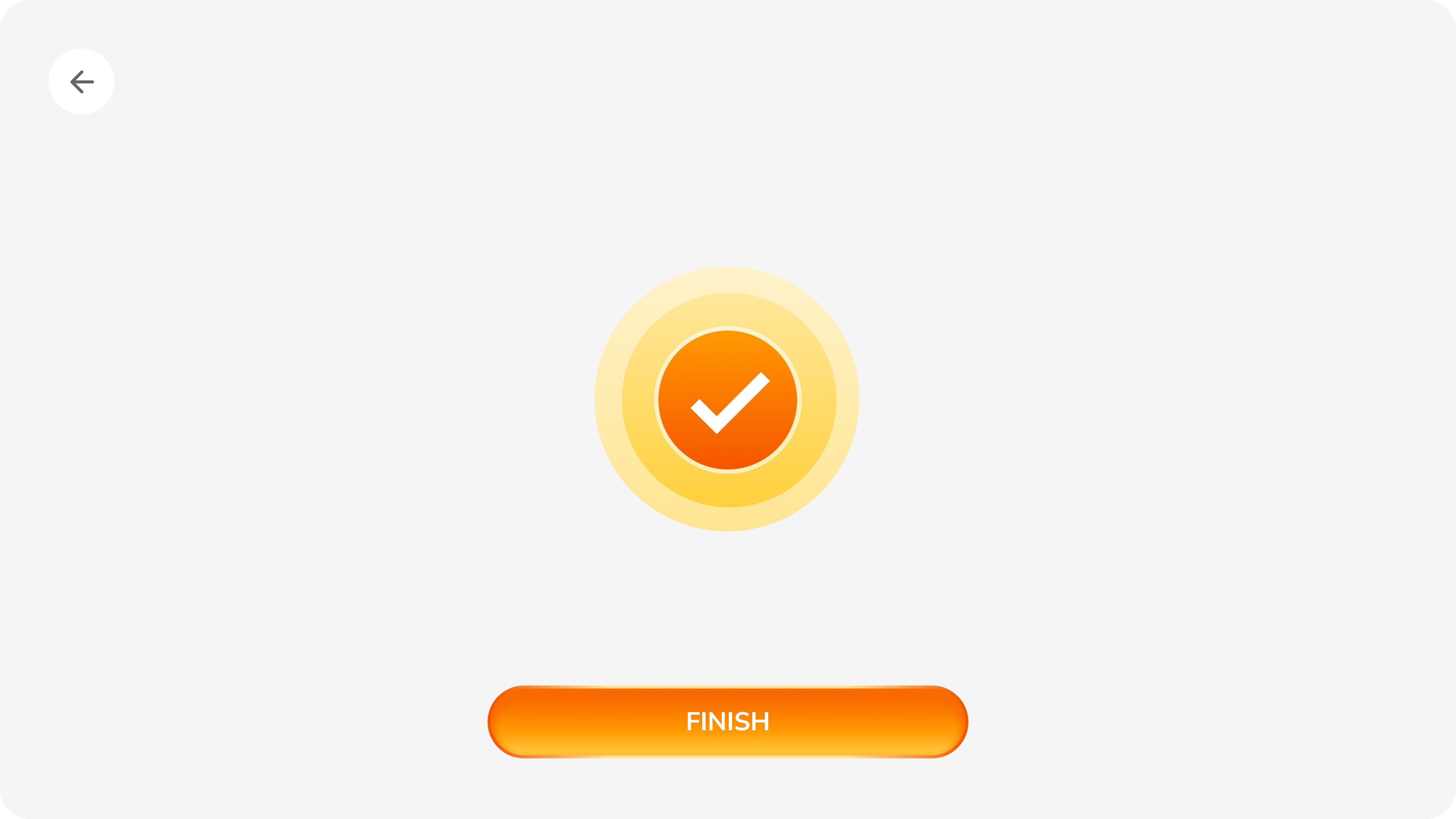
11. Order Confirmed
Celebratory success animation with prominent checkmark provides immediate positive feedback. Finish button resets kiosk for next customer.
Experience rating screen
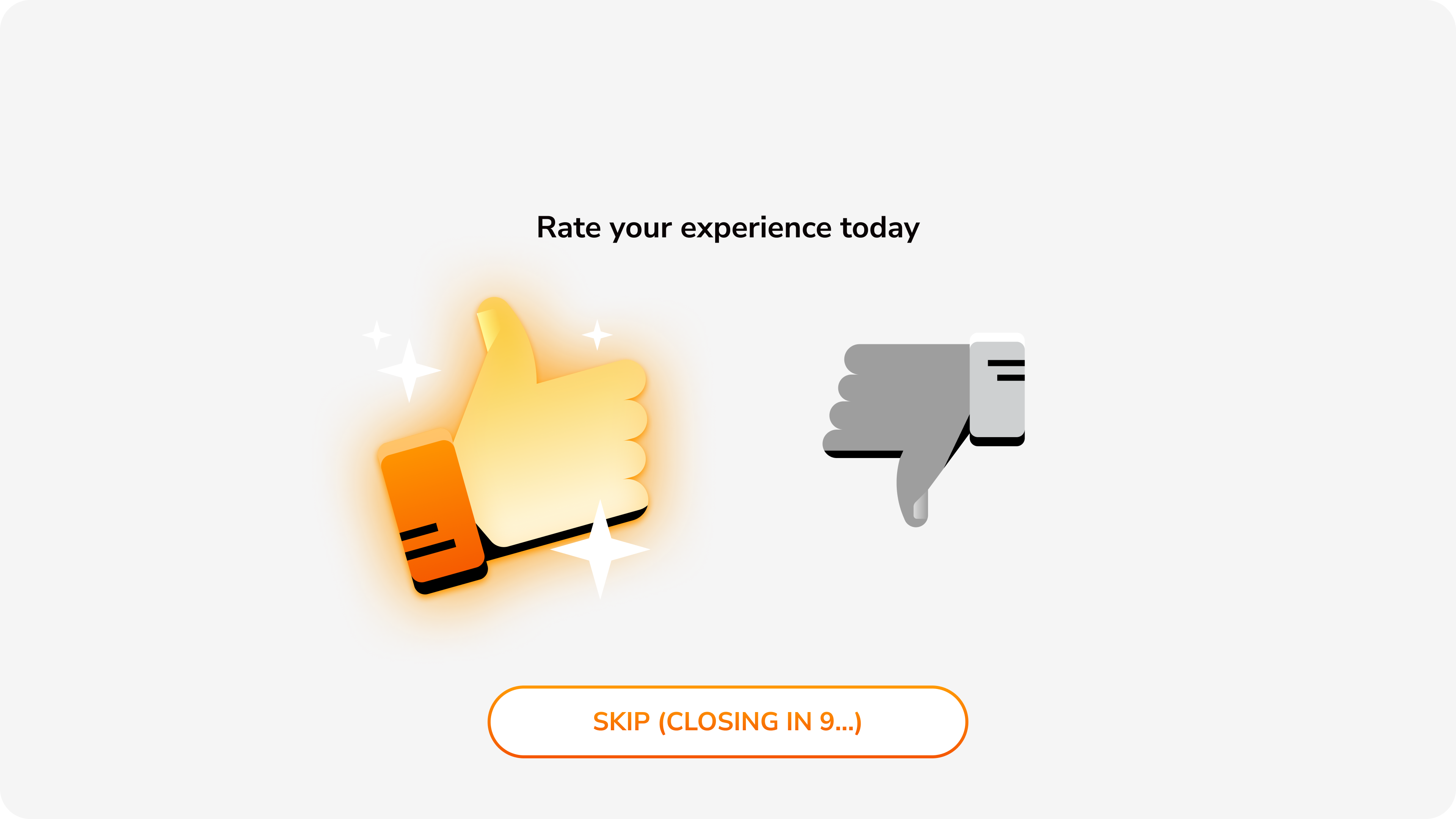
12. Feedback Request
Simple thumbs up/down rating with auto-dismiss countdown. Low-friction feedback collection with clear skip option respects customer time.

4.5min → 3.1min Orders

Order Time Reduction

Average time per order

4.5
Before
minutes
3.1
After
minutes
Peak-hour throughput
+35% increase
30% faster orders increased peak-hour throughput by 35%

Kiosk Adoption

Usage rate increase

62%
42% → 62%
+20%
Payment flex drove 20% adoption increase

Key Results

30% Faster

Order time

4.5

Before

3.1

After

20% Higher

Adoption

42%

Before

62%

After

15% Fewer

Support tickets

-15%
85% resolved

On Schedule

MVP delivery

100%
Done

Context-Specific Design Wins

  • Hardware-first approach: Designed for Advantech UTK-615 specs (not adapted from mobile) = zero post-launch hardware revisions
  • Ruthless MVP scope: Resisted feature creep = on-schedule launch + real usage data to inform Phase 2
  • Fought for dual payment: Advocated for "pay at counter" option despite stakeholder resistance = 20% adoption increase
  • Visual-first menus: Invested in food photography = faster browsing + higher order confidence

Core Lesson: A kiosk isn't a large phone—it's a unique form factor with unique needs. Customers want speed and confidence, not exploration. Context-specific design drove 30% faster orders.