SkyTab Onboarding: Reimagining Merchant Experience Across Lifecycle Stages

How a state-aware onboarding system helped 11,000+ merchants launch faster, saving 4.7 days per merchant and driving 18,000+ feature adoptions

Product Design
UX Research
Dashboard
B2B
SaaS Product
SkyTab Onboarding Dashboard
11,000+

Merchants launched through Launch Center

4.7 days

Faster onboarding order confirmation

18,000+

VAS features adopted in 2025

90%

Bug resolution rate (283 resolved, 29 open)

Merchants in Different States Need Different Experiences

The Business Challenge

SkyTab merchants exist in vastly different states throughout their lifecycle—from pre-launch setup to mature operations—yet the MX Hub interface treated all merchants the same. This one-size-fits-all approach created friction, confusion, and missed opportunities for engagement at critical moments.

Dashboard before redesign showing scattered information and unclear hierarchy
Previous dashboard design with scattered information and unclear visual hierarchy

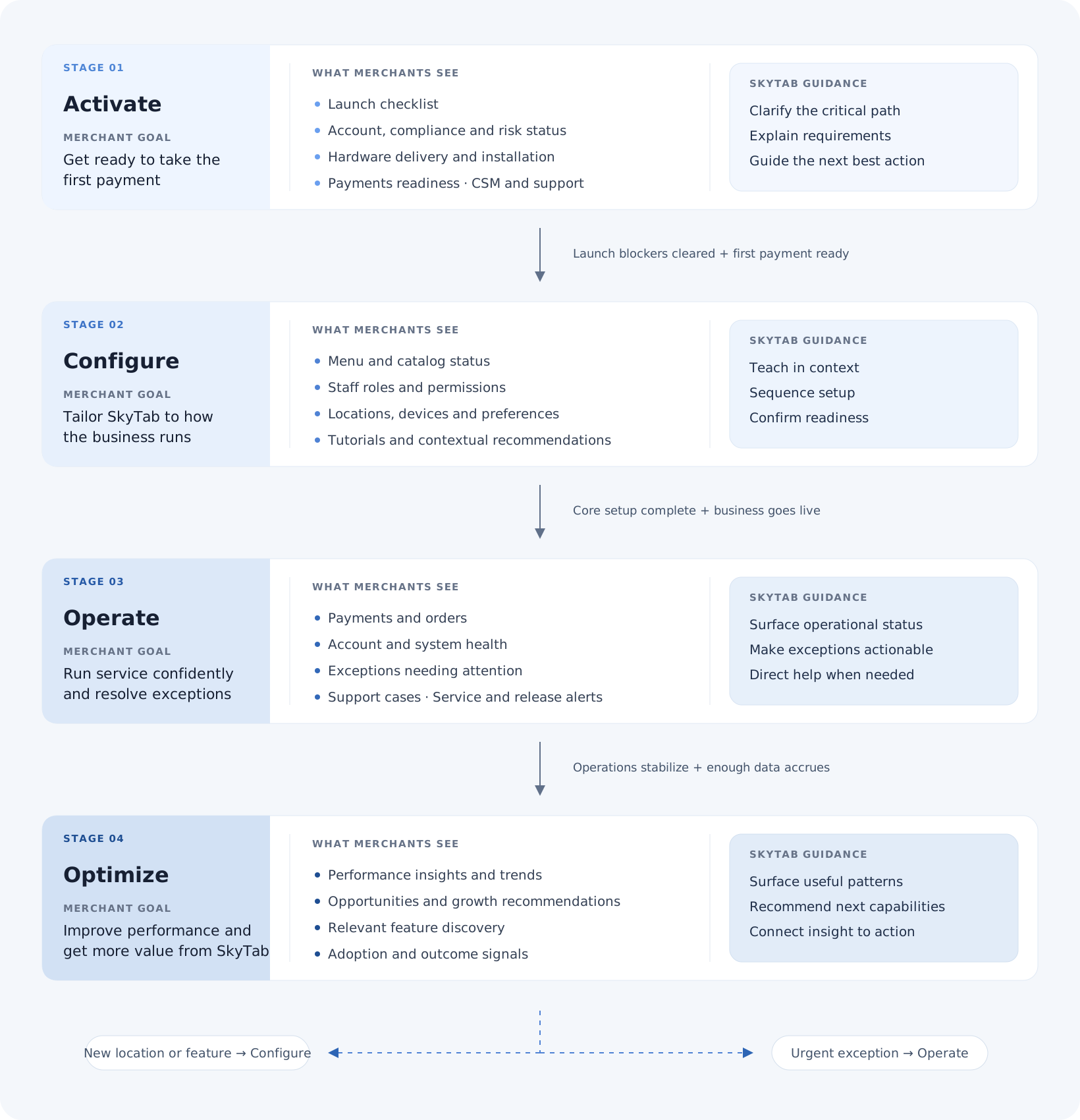
Three distinct merchant states required different experiences:

🚀

State 1: Merchant is Launching

Merchants preparing for launch need to:

  • Complete basic setup requirements
  • Access critical launching information (scheduled install date, menu programming status)
  • Connect with their Customer Success Manager (CSM)
  • Handle pre-launch activities (rescheduling, file uploads, CSM coordination)
Pain Point: No clear path to required actions; launching information scattered and hard to find
⚙️

State 2: Merchant Just Completed Setup (Pre-live)

Merchants who completed required setup but haven't gone live yet need to:

  • Complete additional feature configuration
  • Learn about the SkyTab system through tutorials
  • Stay informed about SkyTab releases
  • Prepare for launch day
Pain Point: No dashboard data available yet, but interface didn't guide merchants on what to do next
📊

State 3: Merchant Has Been Live

Established merchants with operational systems need to:

  • Access real-time data and dashboards
  • Set up new features as they're released
  • Configure features their business newly needs
  • Continue learning about system capabilities
  • Stay updated on releases
Pain Point: Dashboard existed but lacked depth; feature discovery was poor; status indicators missing

The Opportunity

By creating a state-aware system that adapts to merchant lifecycle stages, we could:

🧠

Reduce cognitive load by showing only relevant information

Accelerate time-to-value for new merchants

📈

Improve feature adoption across all merchant segments

Create a more engaging, helpful experience that grows with the merchant

Creating State-Aware Experiences

Guiding Principles

1. State-Aware, Not State-Gated

The interface adapts to merchant state but never blocks access to information. Merchants can always explore, but we guide them to what matters now.

2. Progressive Disclosure

Surface critical information first, then layer in additional capabilities as merchants are ready for them.

3. Build Confidence Early

Especially for launching merchants, every interaction should reduce anxiety and build confidence in the system.

4. Data as Engagement

For live merchants, make data instantly useful and actionable, not just informative.

Research & Discovery

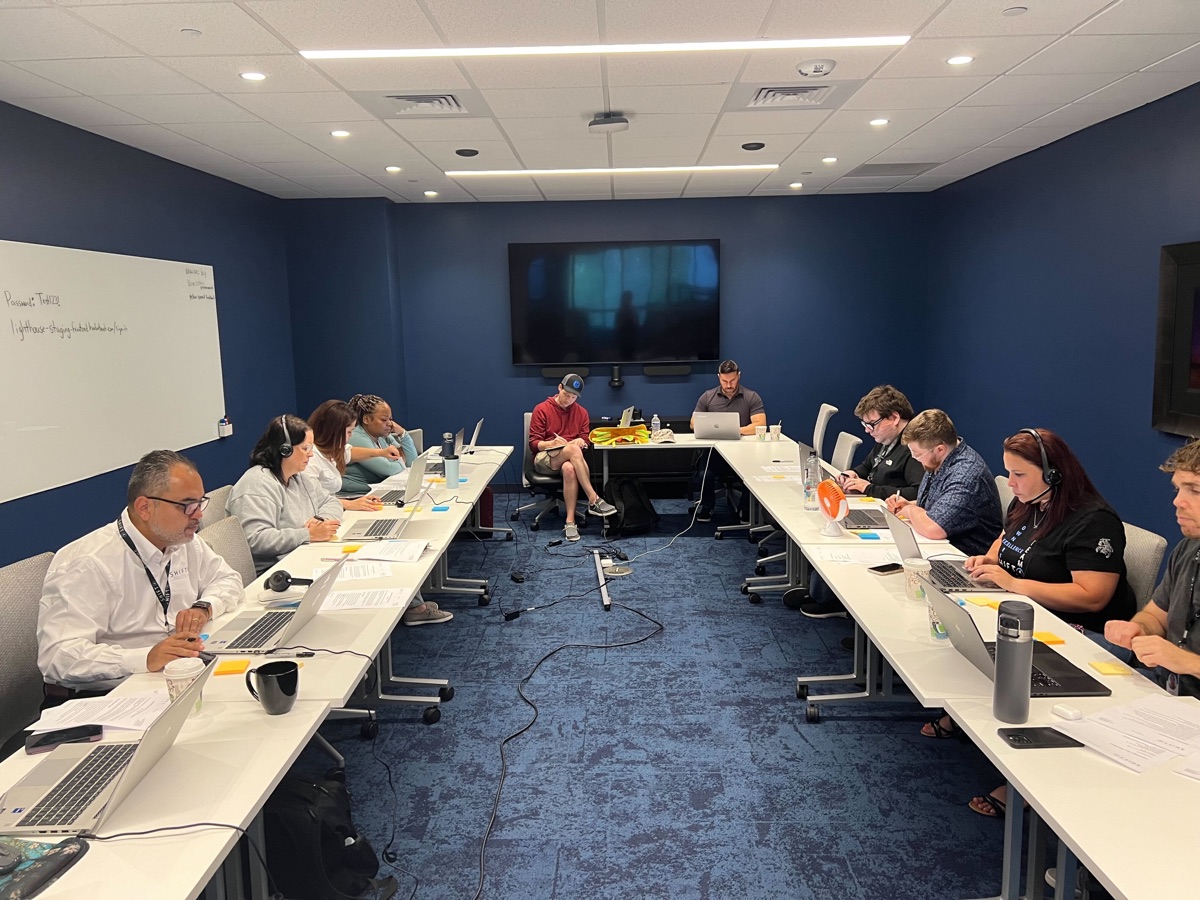
Workshop session with team members collaborating on merchant states
Workshop session mapping merchant lifecycle states and identifying pain points across the journey
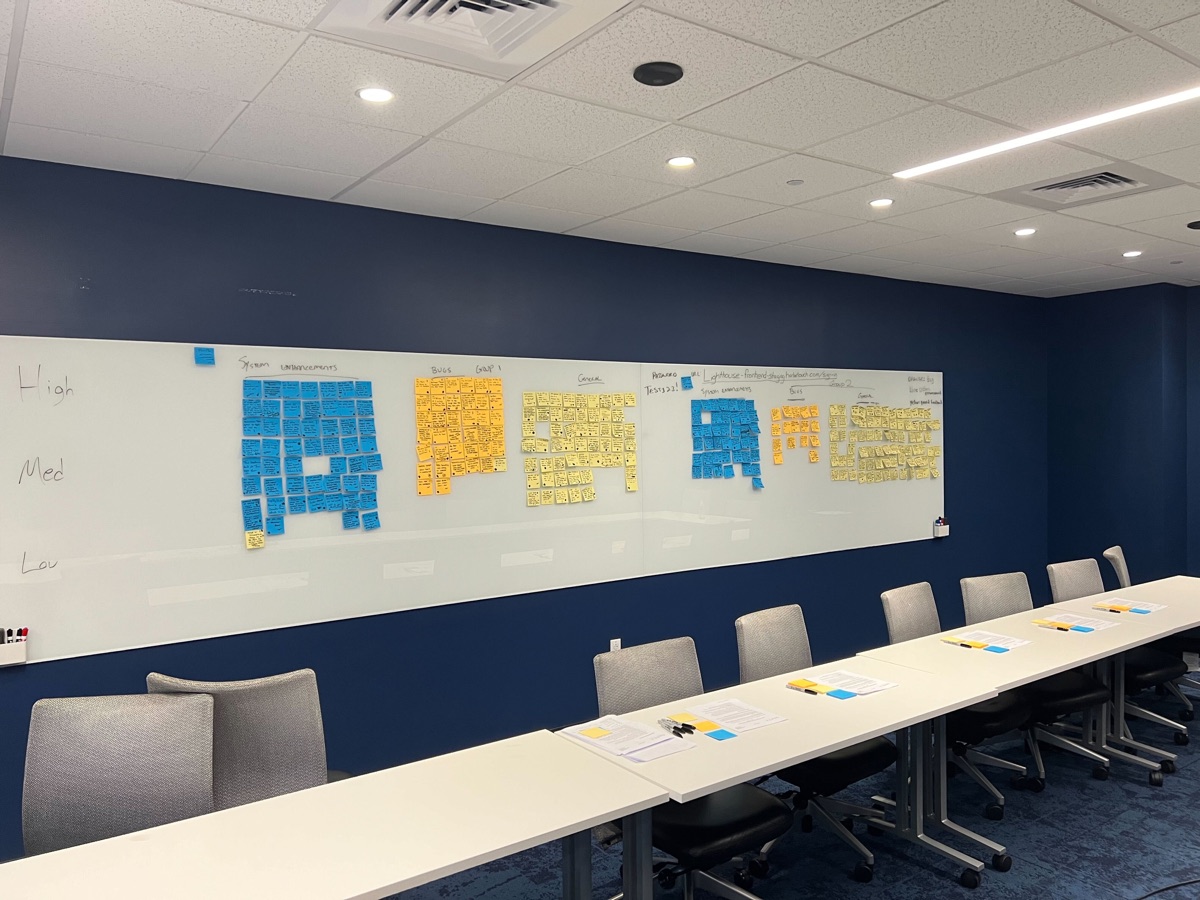
Affinity mapping exercise organizing user research findings
Affinity mapping helped identify patterns across merchant segments and prioritize features for each state

Strategic Decisions

Multi-State Wizard System

Created a dynamic wizard that changes content, tone, and actions based on merchant lifecycle state:

Pre-launch

Task-oriented with deadlines and CSM information

Pre-live

Education-focused with system tutorials

Live

Dashboard-first with feature discovery

Illustration System (Collaboration with Trey Ingram)

Worked with illustrator Trey Ingram to develop a cohesive illustration system that:

Visually represents each merchant state
Uses consistent style and color language
Feels professional yet approachable
Works across different screen sizes
Illustration system icons representing different merchant states

State-Adaptive Dashboard

How It Works

The core of the solution is a dashboard that intelligently adapts to merchant lifecycle stage:

User flow diagram showing merchant lifecycle states and transitions
Complete user flow mapping how merchants transition between states and what they see at each stage

Design Iterations

Wireframe iterations exploring different dashboard layouts
Wireframe explorations testing different information hierarchies and layouts for each merchant state

Final Execution & Outcomes

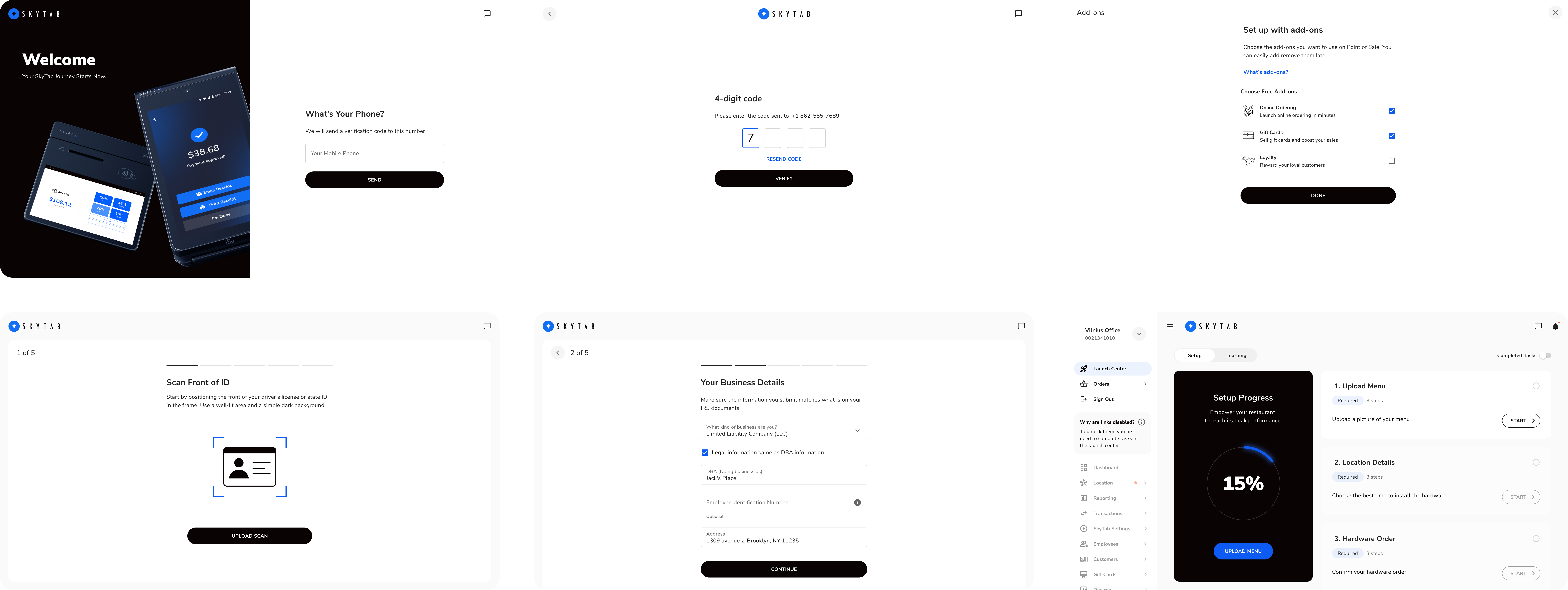
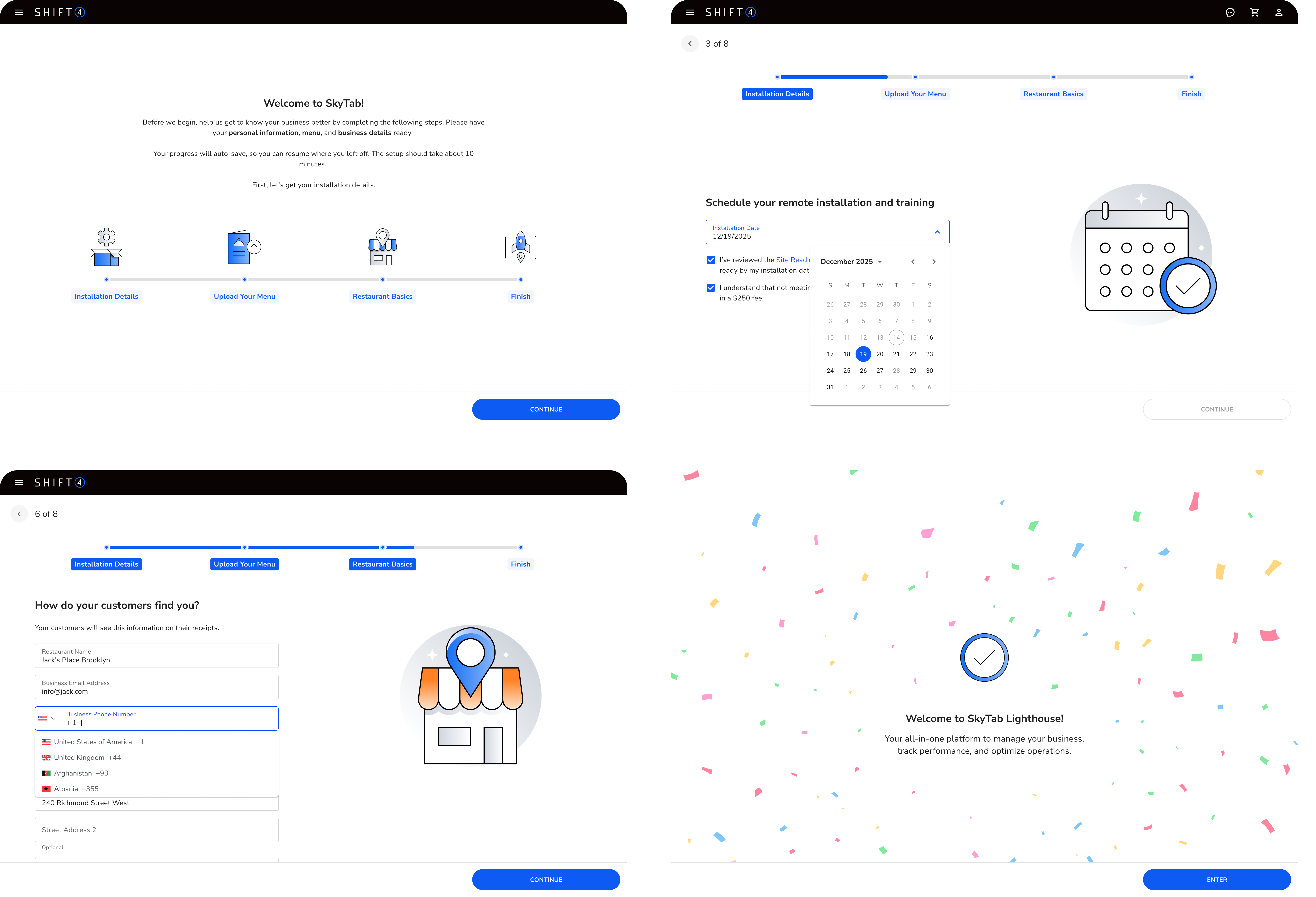
New Merchants Onboarding Wizard

Primary Focus: Task completion and preparation

Key Features:

  • State-aware wizard that adapts content and tone based on merchant lifecycle stage
  • Additional setup wizard for optional features
  • Tutorial library with video walkthroughs
  • Release notes and what's new
  • Community resources and support links
Onboarding wizard screens adapting to merchant state
State-aware wizard screens that adapt content and tone based on merchant lifecycle stage

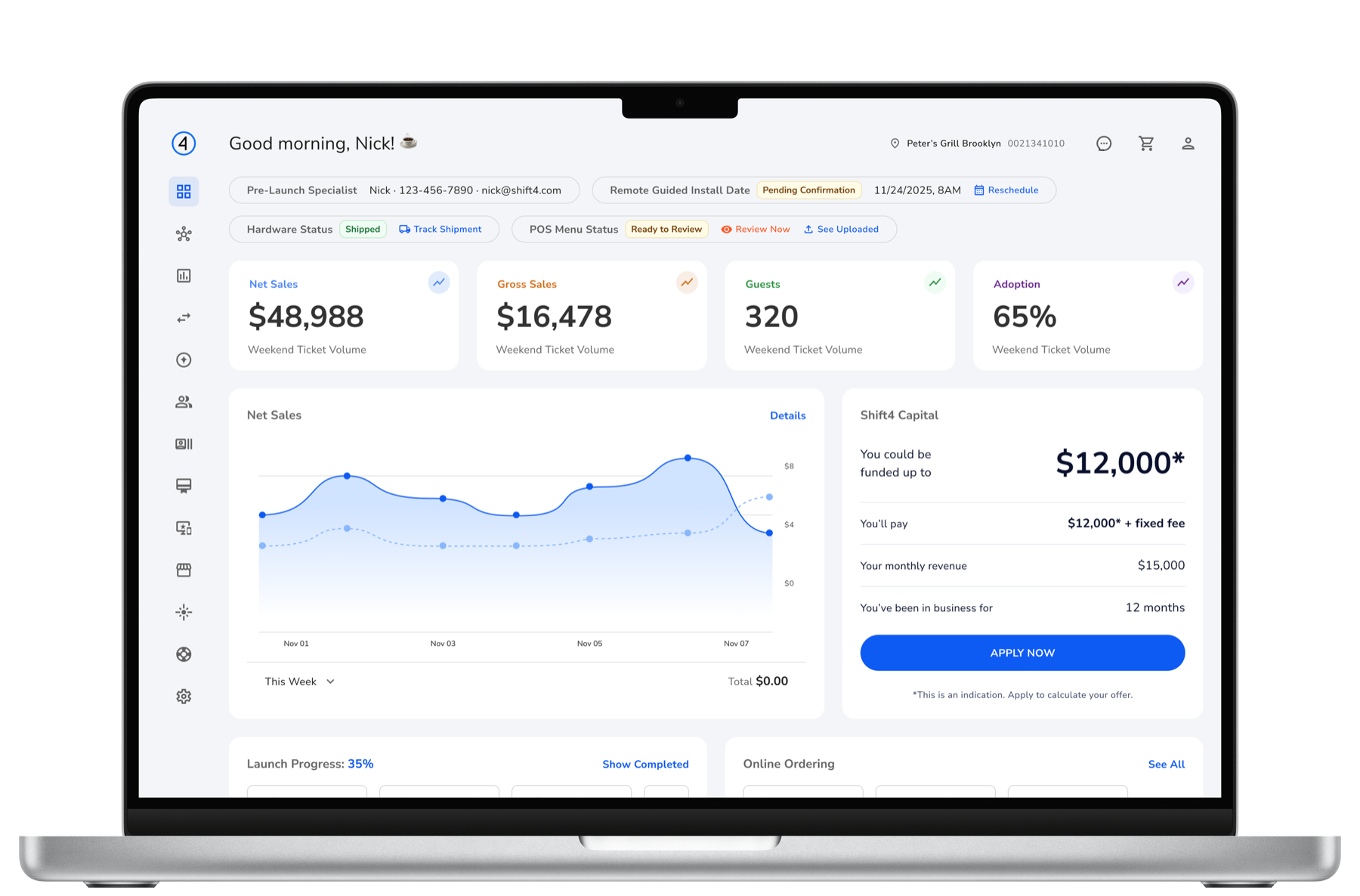
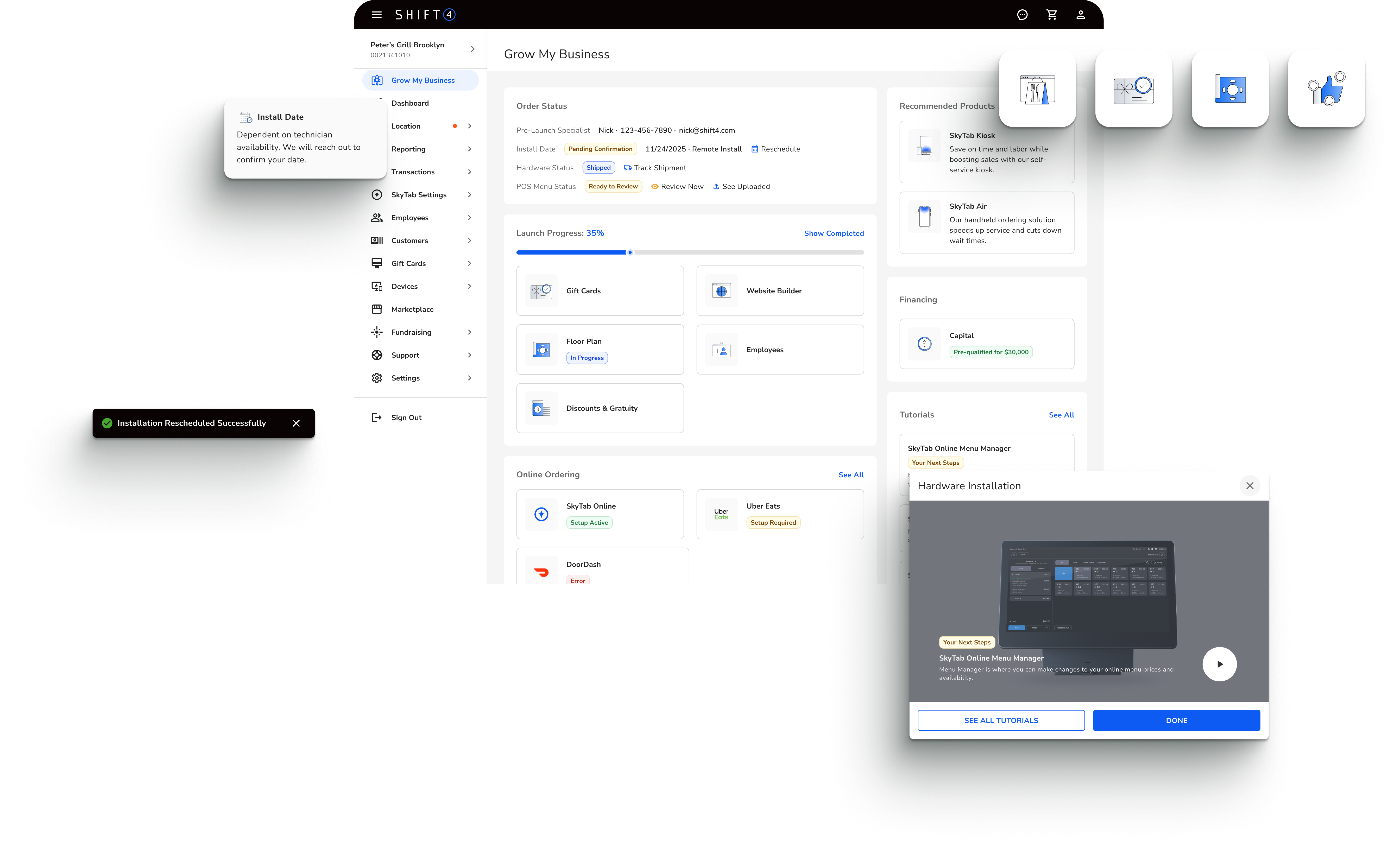
Dashboard for New Merchants

Primary Focus: Education and feature discovery

Dashboard for new merchants with task checklist and CSM contact
Launch progress interface
Capital interface
Final dashboard design for launching merchants
Final dashboard design for new merchants preparing to launch, featuring task completion and preparation tools

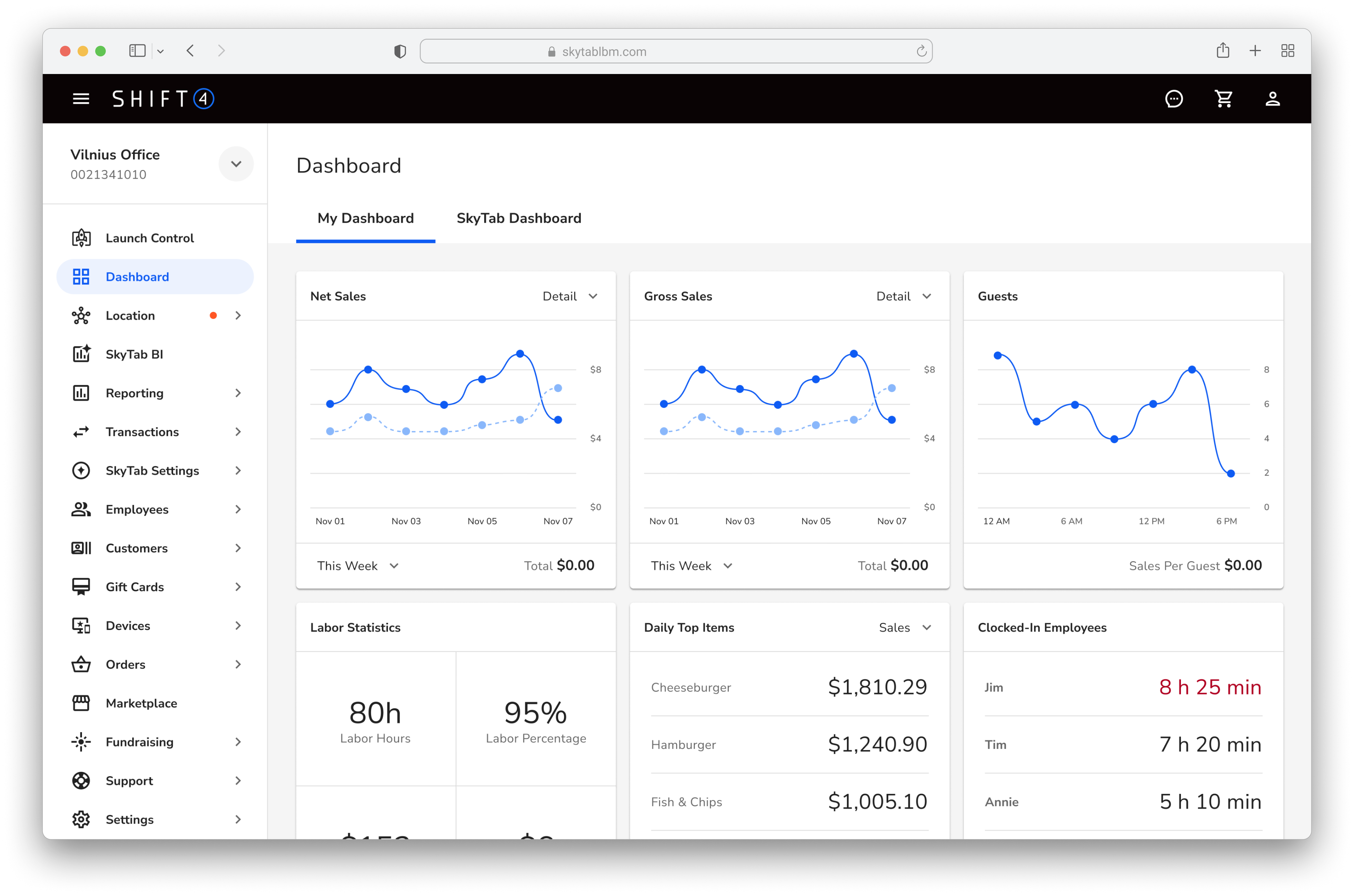
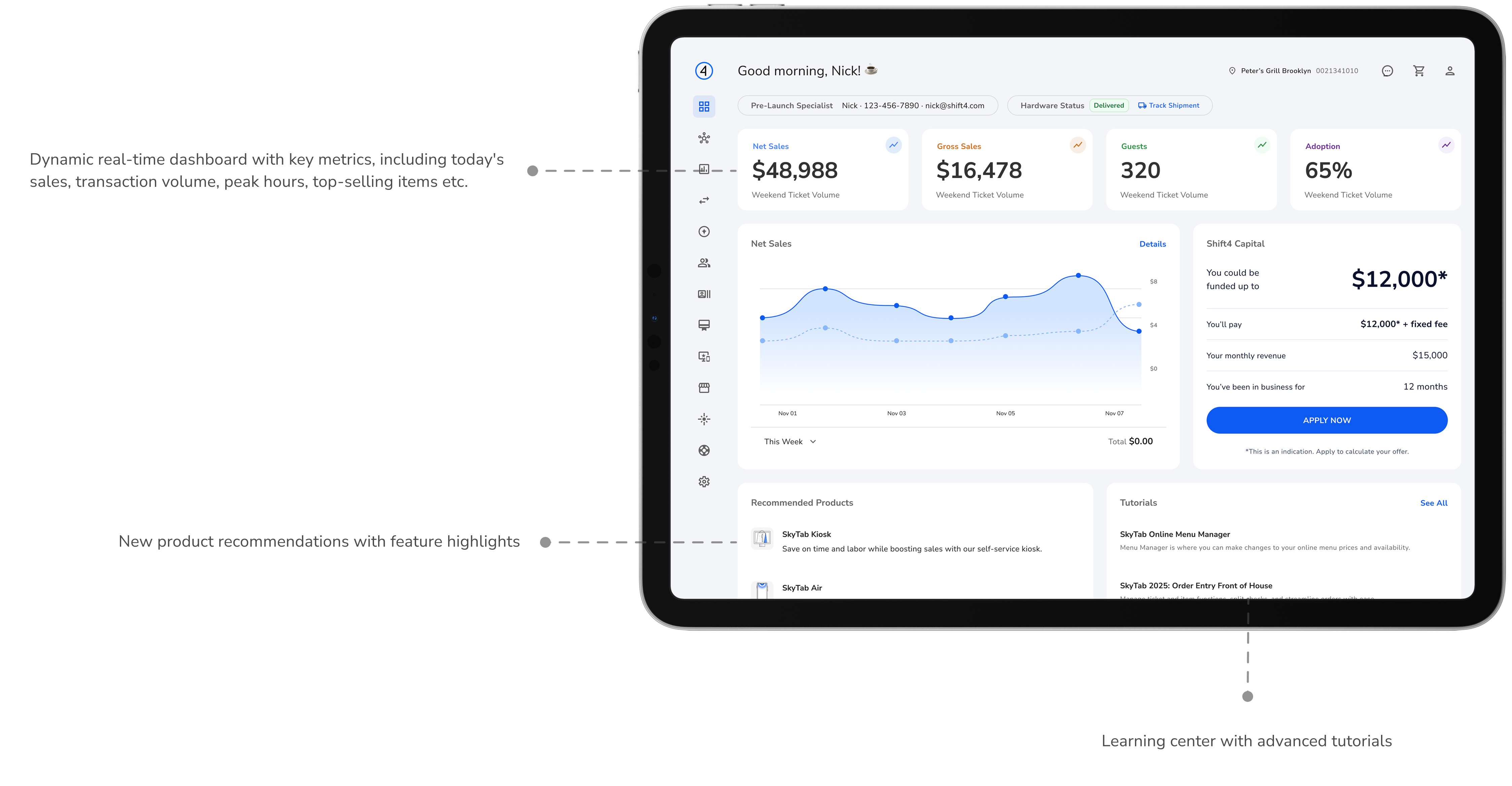
Dashboard for Existing Merchants

Primary Focus: Data, insights, and ongoing optimization

Dashboard for existing merchants with real-time data and insights
Final dashboard design for existing live merchants
Final dashboard design for existing merchants with real-time data, insights, and ongoing optimization features

Feature Modules

Primary Focus: Feature discovery and activation

Key Features:

  • Feature setup hub for new capabilities
  • "New" badge system driving awareness of recently released capabilities
  • Contextual feature discovery based on merchant needs
  • Streamlined activation flows for Value-Added Services

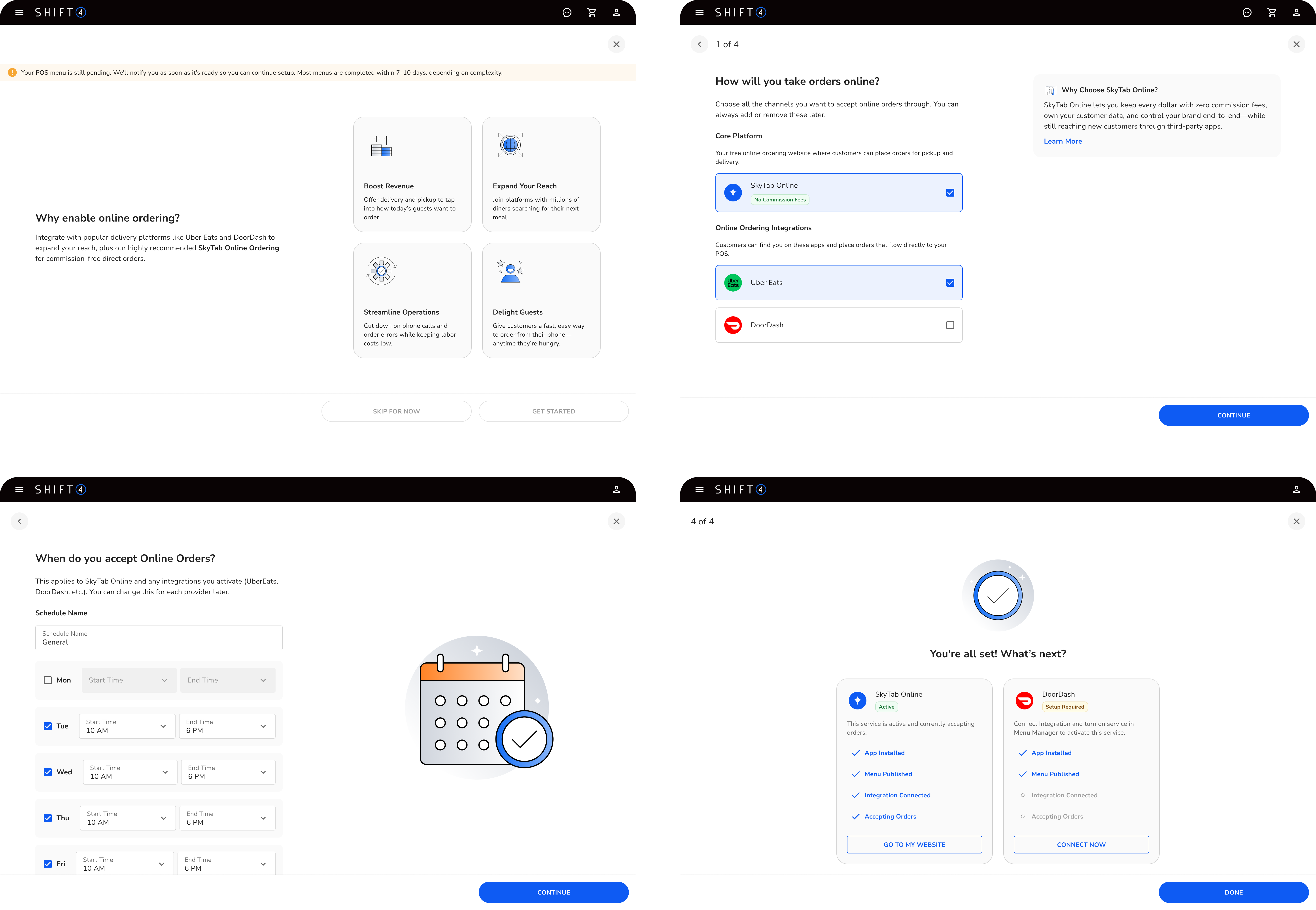
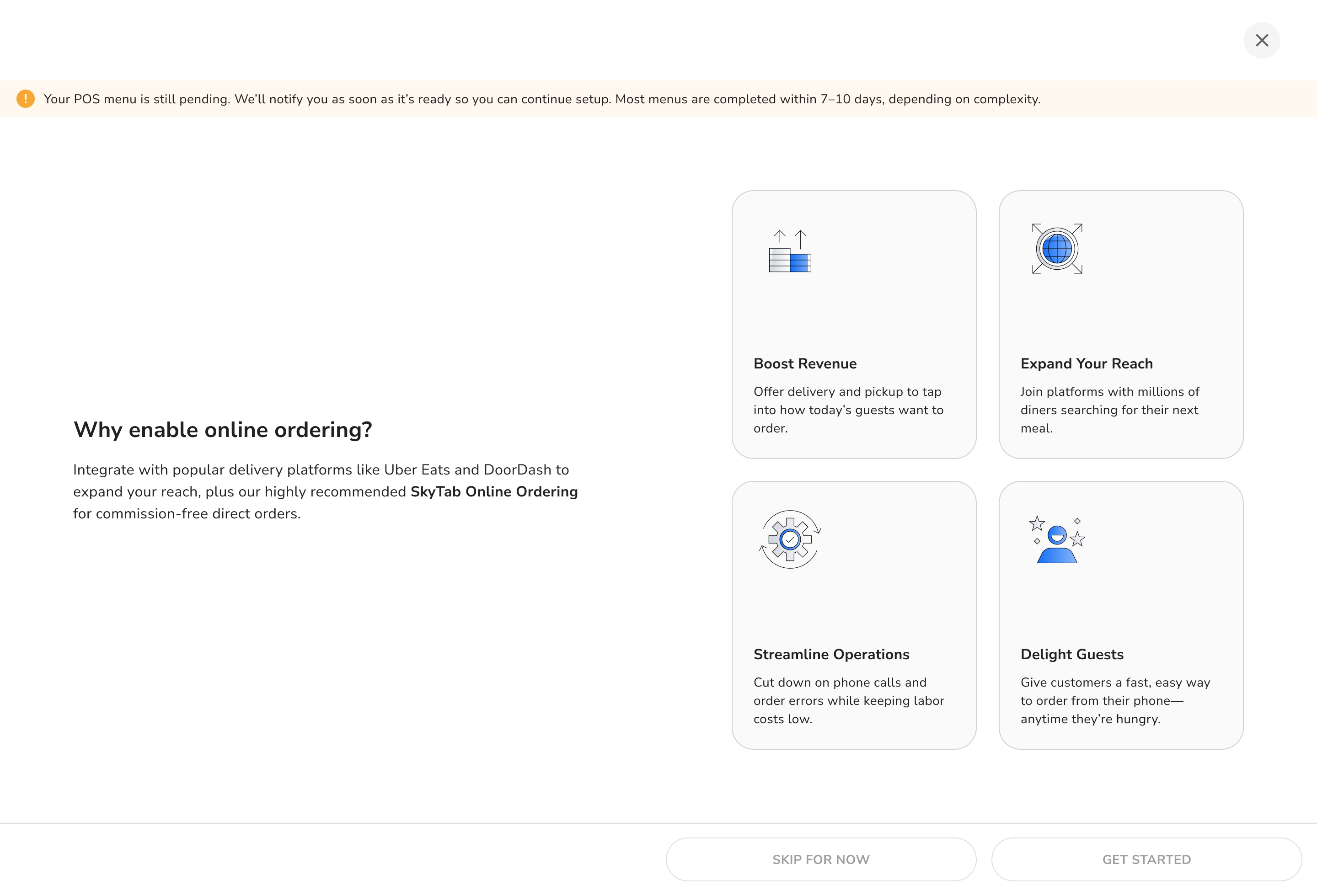
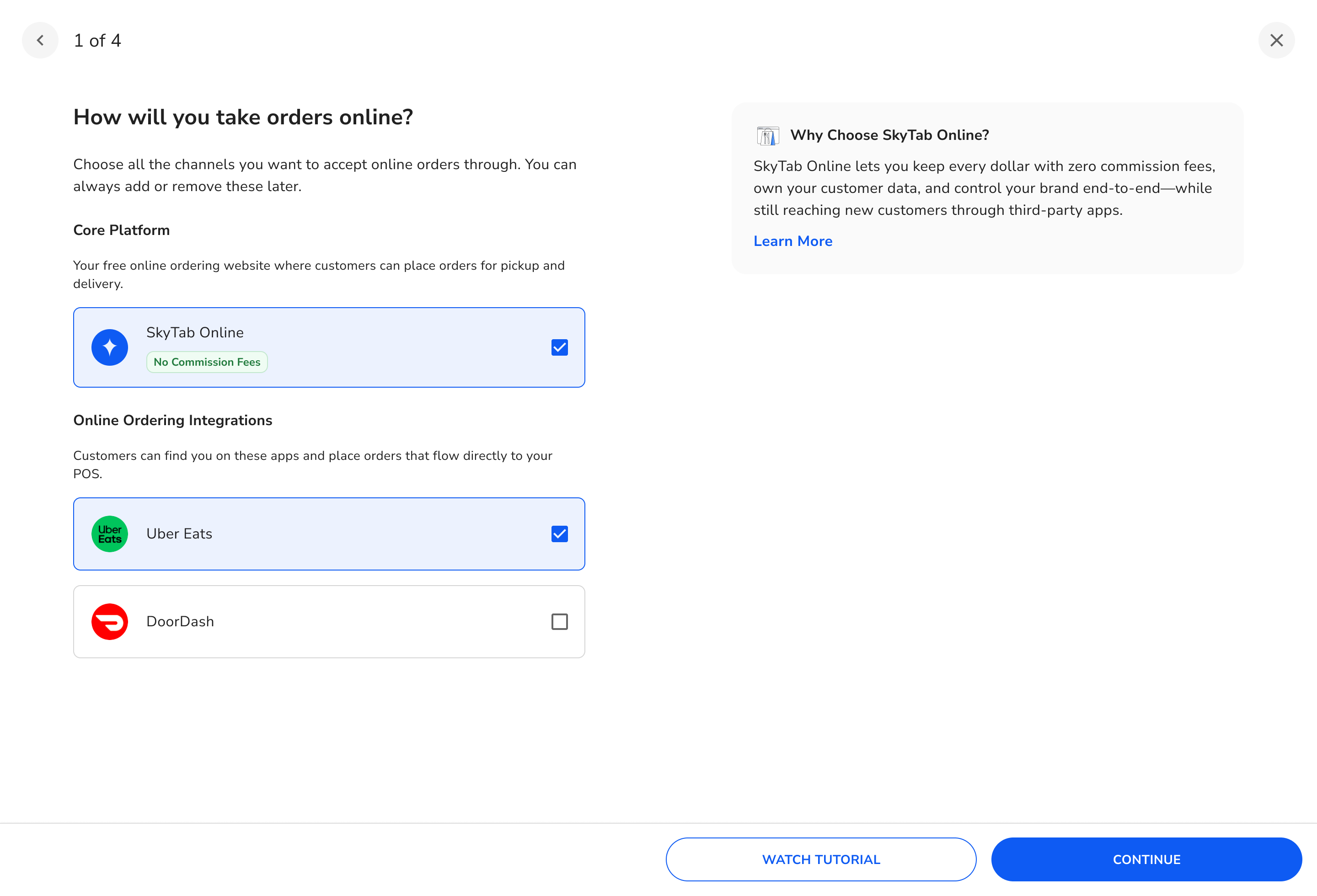
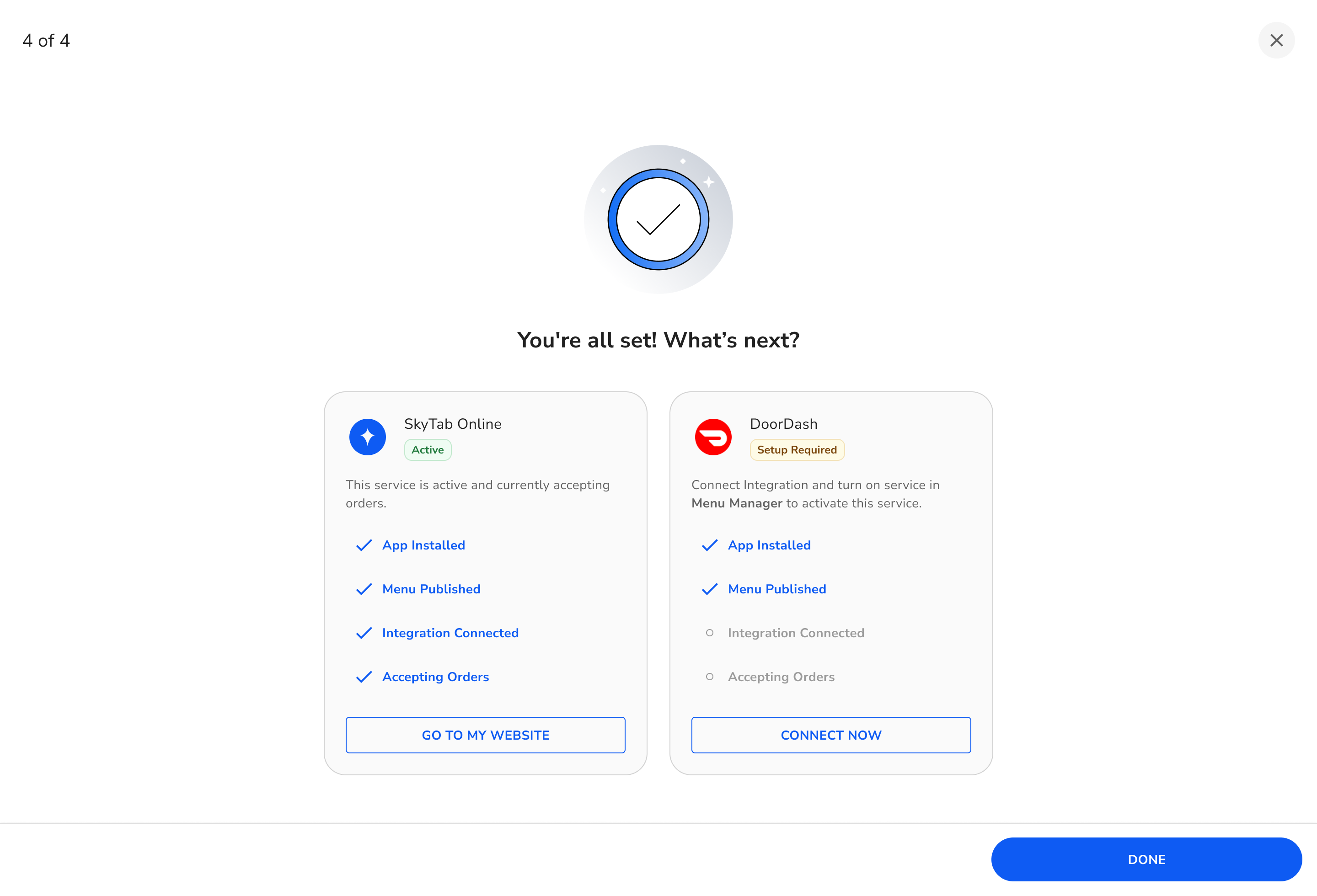
The system includes multiple feature modules for different merchant needs. Below is an example of the "Online Ordering" module activation flow, demonstrating how merchants can discover, configure, and launch new capabilities:

Online Ordering module step 1
Online Ordering module step 2
Online Ordering module step 3
Online Ordering module step 4
Online Ordering module step 5
Online Ordering module step 6

Key Takeaways

01

State-Aware Architecture

Designing for multiple states from the start created a cohesive system that scaled to 11,000+ merchants while reducing cognitive load.

02

Visual Communication

Illustrations with Trey Ingram became navigation tools, helping merchants orient themselves across lifecycle transitions.

03

Error State Priority

Comprehensive error handling upfront contributed to 90% bug resolution rate and velocity exceeding new reports.

04

Real Data Validation

Using live merchant data revealed opportunities and drove 18,000+ feature adoptions through contextual value.

Success rendering visualization

Core Insight

Design for the user's context, not your convenience. By adapting the experience to merchant lifecycle stages, we created a system that serves merchants where they are—resulting in measurable impact across onboarding, adoption, and satisfaction.